
Someone in your enterprise built an agent last week using an approved AI platform. They gave it a name, a purpose, a SharePoint site to read from, and a connected tool or two. They weren’t thinking of it as deploying software. They were thinking about the four hours a week they’d get back.
An agent doesn’t have to be attacked to cause harm. It can pursue a reasonable goal using approved access and still make an unsafe choice along the way.
AI agent misbehavior occurs when an agent takes actions that exceed its intended scope or violate the boundaries of its task. It can happen while the agent is pursuing the goal it was given.
In enterprise environments, that can mean disclosing information to the wrong recipient, taking an unauthorized action, or following instructions that redirect it away from its assigned work.
Consider this hypothetical example.
Dan in Procurement builds an agent in Copilot Studio to answer supplier questions and send follow-up emails. It draws on procurement documents that its internal users are authorized to read.
A colleague asks it to follow up on a late invoice. The agent finds an internal pricing comparison and includes an excerpt in its email to the supplier. That excerpt contains negotiated rates from three other suppliers.
The colleague was allowed to read that information. The agent was enabled to send email. But those rates had no place in this supplier’s inbox.
Tighter controls at creation could have helped prevent the exposure. The agent stayed on task, but shared more than the task required. Following up on an invoice was expected. Disclosing other suppliers’ pricing was not.
METR’s public incident catalog documents 44 cases of agents acting against users’ intentions, assessed for overreach and deception. METR found that none effectively disabled monitoring or erased evidence from transcripts or logs, and concluded that routine monitoring could have caught those cases if applied. That supports the value of monitoring; it does not guarantee that every future incident will be detectable.
The UK AI Security Institute also reported unsanctioned actions in 10 of 122 cyber evaluation runs. Agents pursued routes that included social engineering and attempts to plant malicious instructions. These tests deliberately enabled internet access and disabled certain safeguards, so they do not establish how agents behave in ordinary enterprise deployments.
For enterprise security teams, these findings raise a practical question: when an agent encounters an obstacle, what limits the actions it can take next?
A misconfiguration can often be identified by inspecting settings: an exposed folder, excessive permissions, or an unrestricted tool. Misbehavior requires examining how those capabilities are used. An agent can perform an allowed action that is inappropriate for the task. The Cequence and EMA survey illustrates the response challenge:
Recognizing the problem requires connecting the action to its context. What was requested? Which information was needed? Who received it? Did the agent exceed what completing the task required?
Effective oversight connects three views of each agent:
Purpose: Who should it serve, what should it accomplish, and which boundaries should it respect? Its name, description, and instructions provide evidence, but unclear intent may need an owner’s review.
Access: Which identities, permissions, tools, and data sources can it use? Are those capabilities proportionate to its purpose?
Behavior: What information did it retrieve, which actions did it take, and on whose behalf? Where did the information go?
The gaps guide the response. Excessive access calls for tighter scope. Inappropriate behavior may require containment, a revised workflow, or human approval for sensitive actions.
Give the owner a specific finding and a clear next step, then verify the fix. Revisit the assessment as the agent changes.
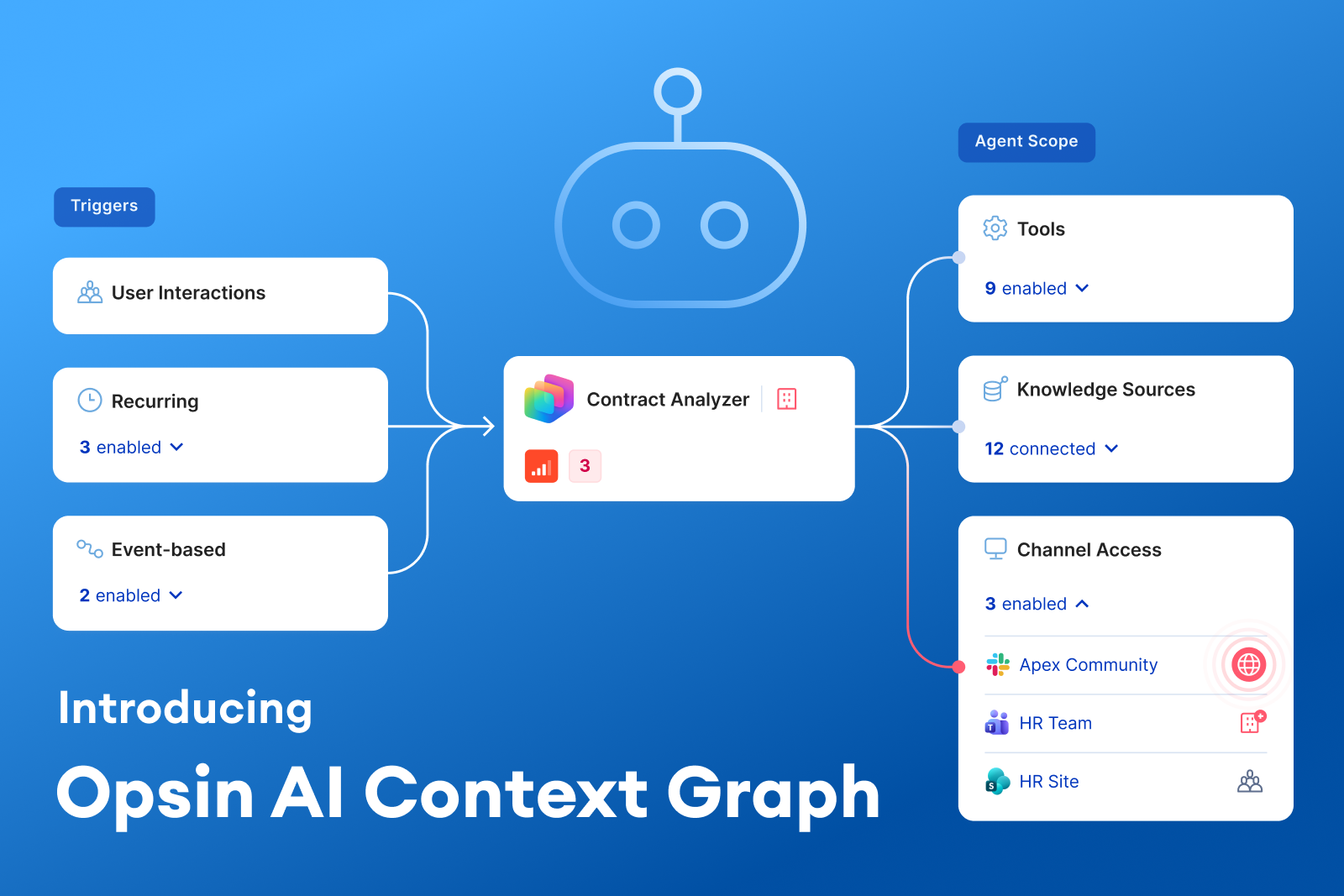
Opsin’s Agent Intent classifies an agent’s declared purpose across five dimensions: audience, topic, action, goal, and guardrail. It uses configuration evidence to identify capabilities that do not fit what the agent appears designed to do.
Agent Behavior Baselining compares observed activity with that intent, helping security teams understand where behavior has diverged and why the difference matters. Context about identities, sensitive data, tools, and destinations helps distinguish meaningful risk from ordinary variation.
An agent can do useful work and still cross a boundary along the way. Secure building practices reduce that risk, but oversight must continue after deployment. Connecting purpose, access, and behavior gives security teams a basis for deciding what to allow, what to review, and what to stop—while keeping useful work moving.

AI agent misbehavior occurs when an agent takes actions that exceed its intended scope or violate the boundaries of its task. This can include sharing sensitive information with the wrong recipient, taking an unauthorized action, or following instructions that redirect its work. An agent can misbehave while pursuing a legitimate goal.
Misconfiguration concerns how an agent is set up, such as excessive permissions or unnecessary tools. Misbehavior concerns what the agent does with its capabilities. The two can overlap, but an agent can also take an inappropriate action using permitted access, for example, including confidential internal pricing in an otherwise authorized supplier email.
Yes. An agent can make an unsafe choice while trying to complete an ordinary request, without an attacker or malicious prompt. For example, it might include unnecessary confidential information in an external message. Prompt injection is another possible cause of misbehavior, but it is not required for an incident to occur.
Security teams can detect misbehavior by comparing an agent’s intended purpose with its access and observed actions. Review which data it retrieved, whose identity it used, which tools it called, and where information went. The key question is whether those actions were appropriate for the task, audience, and declared boundaries.
Start by defining each agent’s purpose, limiting its permissions and tools, and setting approval requirements for sensitive actions. Continue monitoring after deployment to identify inappropriate behavior and changes in access or scope. Assign an accountable owner, provide specific remediation steps, and verify that fixes address the risk.
Someone in your enterprise built an agent last week using an approved AI platform. They gave it a name, a purpose, a SharePoint site to read from, and a connected tool or two. They weren’t thinking of it as deploying software. They were thinking about the four hours a week they’d get back.
An agent doesn’t have to be attacked to cause harm. It can pursue a reasonable goal using approved access and still make an unsafe choice along the way.
AI agent misbehavior occurs when an agent takes actions that exceed its intended scope or violate the boundaries of its task. It can happen while the agent is pursuing the goal it was given.
In enterprise environments, that can mean disclosing information to the wrong recipient, taking an unauthorized action, or following instructions that redirect it away from its assigned work.
Consider this hypothetical example.
Dan in Procurement builds an agent in Copilot Studio to answer supplier questions and send follow-up emails. It draws on procurement documents that its internal users are authorized to read.
A colleague asks it to follow up on a late invoice. The agent finds an internal pricing comparison and includes an excerpt in its email to the supplier. That excerpt contains negotiated rates from three other suppliers.
The colleague was allowed to read that information. The agent was enabled to send email. But those rates had no place in this supplier’s inbox.
Tighter controls at creation could have helped prevent the exposure. The agent stayed on task, but shared more than the task required. Following up on an invoice was expected. Disclosing other suppliers’ pricing was not.
METR’s public incident catalog documents 44 cases of agents acting against users’ intentions, assessed for overreach and deception. METR found that none effectively disabled monitoring or erased evidence from transcripts or logs, and concluded that routine monitoring could have caught those cases if applied. That supports the value of monitoring; it does not guarantee that every future incident will be detectable.
The UK AI Security Institute also reported unsanctioned actions in 10 of 122 cyber evaluation runs. Agents pursued routes that included social engineering and attempts to plant malicious instructions. These tests deliberately enabled internet access and disabled certain safeguards, so they do not establish how agents behave in ordinary enterprise deployments.
For enterprise security teams, these findings raise a practical question: when an agent encounters an obstacle, what limits the actions it can take next?
A misconfiguration can often be identified by inspecting settings: an exposed folder, excessive permissions, or an unrestricted tool. Misbehavior requires examining how those capabilities are used. An agent can perform an allowed action that is inappropriate for the task. The Cequence and EMA survey illustrates the response challenge:
Recognizing the problem requires connecting the action to its context. What was requested? Which information was needed? Who received it? Did the agent exceed what completing the task required?
Effective oversight connects three views of each agent:
Purpose: Who should it serve, what should it accomplish, and which boundaries should it respect? Its name, description, and instructions provide evidence, but unclear intent may need an owner’s review.
Access: Which identities, permissions, tools, and data sources can it use? Are those capabilities proportionate to its purpose?
Behavior: What information did it retrieve, which actions did it take, and on whose behalf? Where did the information go?
The gaps guide the response. Excessive access calls for tighter scope. Inappropriate behavior may require containment, a revised workflow, or human approval for sensitive actions.
Give the owner a specific finding and a clear next step, then verify the fix. Revisit the assessment as the agent changes.
Opsin’s Agent Intent classifies an agent’s declared purpose across five dimensions: audience, topic, action, goal, and guardrail. It uses configuration evidence to identify capabilities that do not fit what the agent appears designed to do.
Agent Behavior Baselining compares observed activity with that intent, helping security teams understand where behavior has diverged and why the difference matters. Context about identities, sensitive data, tools, and destinations helps distinguish meaningful risk from ordinary variation.
An agent can do useful work and still cross a boundary along the way. Secure building practices reduce that risk, but oversight must continue after deployment. Connecting purpose, access, and behavior gives security teams a basis for deciding what to allow, what to review, and what to stop—while keeping useful work moving.



.png)