AI Platform

Copilot Studio Security

Employees build Copilot Studio agents faster than security can review them. Opsin discovers every agent, maps data connections, assesses risk, and enforces governance so you can enable innovation without losing control.
Get Your Free Assessment →
Tiled product UI crops
Trusted by leaders
See what they say ↓
The Challenge

Copilot Studio Agents Multiply Faster Than Security Can Track

Employees build AI agents that connect to SharePoint, Dataverse, and external APIs. These agents access PHI, PII, and financial data without security review. You have no inventory, no governance, and no visibility into what they can do.

Agent Sprawl Without Inventory

Anyone with a Copilot license can build agents in Copilot Studio. These agents multiply across departments without central inventory. Security teams don't know how many exist or who created them.

Data Connections Outside Security Review

Copilot Studio agents connect to SharePoint, Dataverse, SQL databases, and external APIs. Each connection creates a potential pathway to PHI, PII, financial records, and regulated data - without security assessment.

No Visibility Into Agent Behavior

Once deployed, you can't see what data agents access, what actions they take, or whether they violate policies. Risky behavior goes undetected until it becomes an incident.

Orphaned Agents Persist

Employees leave. Projects end. But the agents they built remain active with all their data connections intact. These orphaned agents create ungoverned access paths that accumulate over time.

Compliance Gaps Widen

Regulations require knowing where sensitive data lives, who can access it, and where it flows. Copilot Studio agents that connect to regulated data create compliance questions your existing frameworks can't answer.

Lacks the full picture

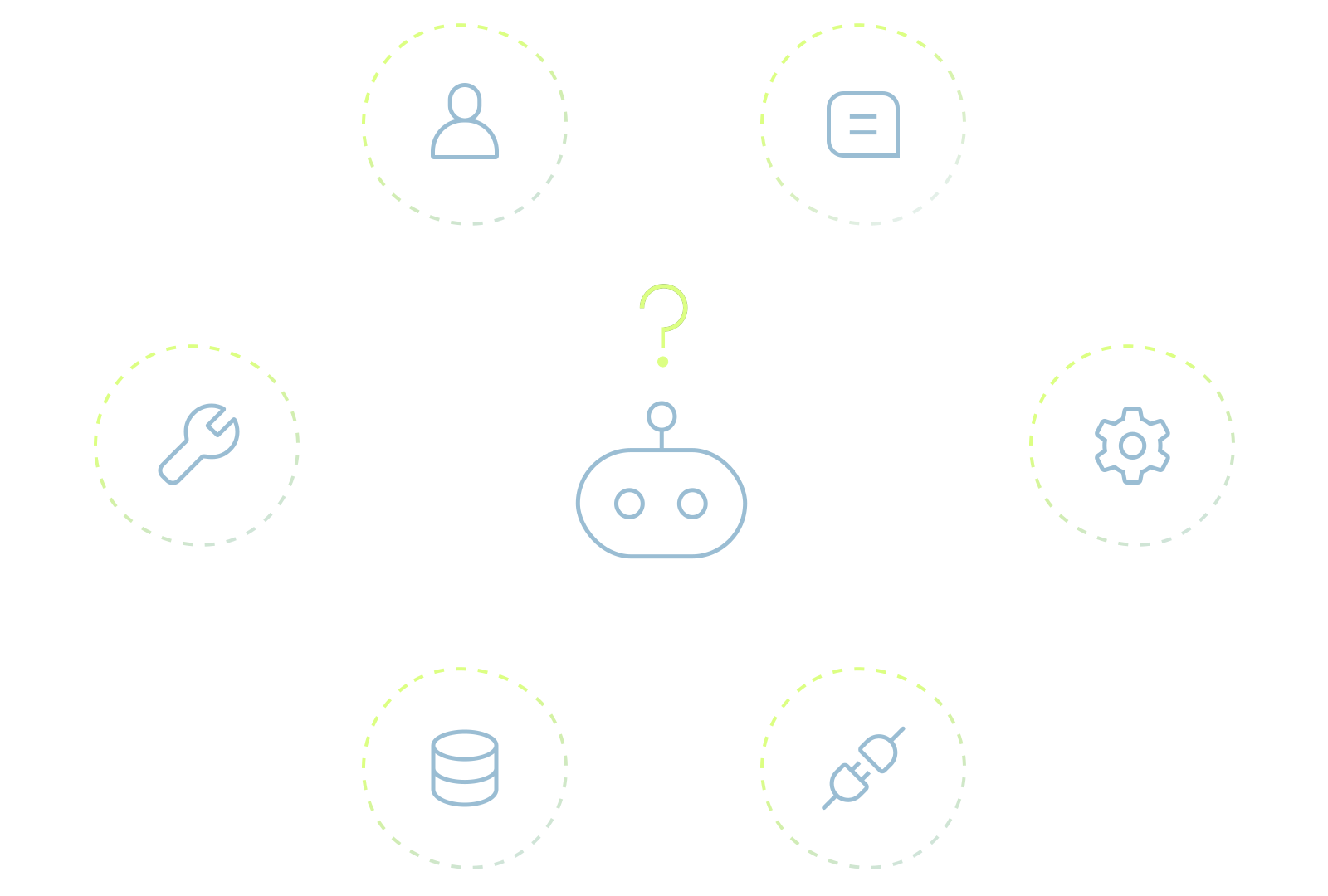
Agent activity spans AI platforms, APIs, and enterprise systems, beyond the view of any single control.
AI agent surrounded by disconnected user, data, tool, and system icons, illustrating fragmented visibility across platforms.
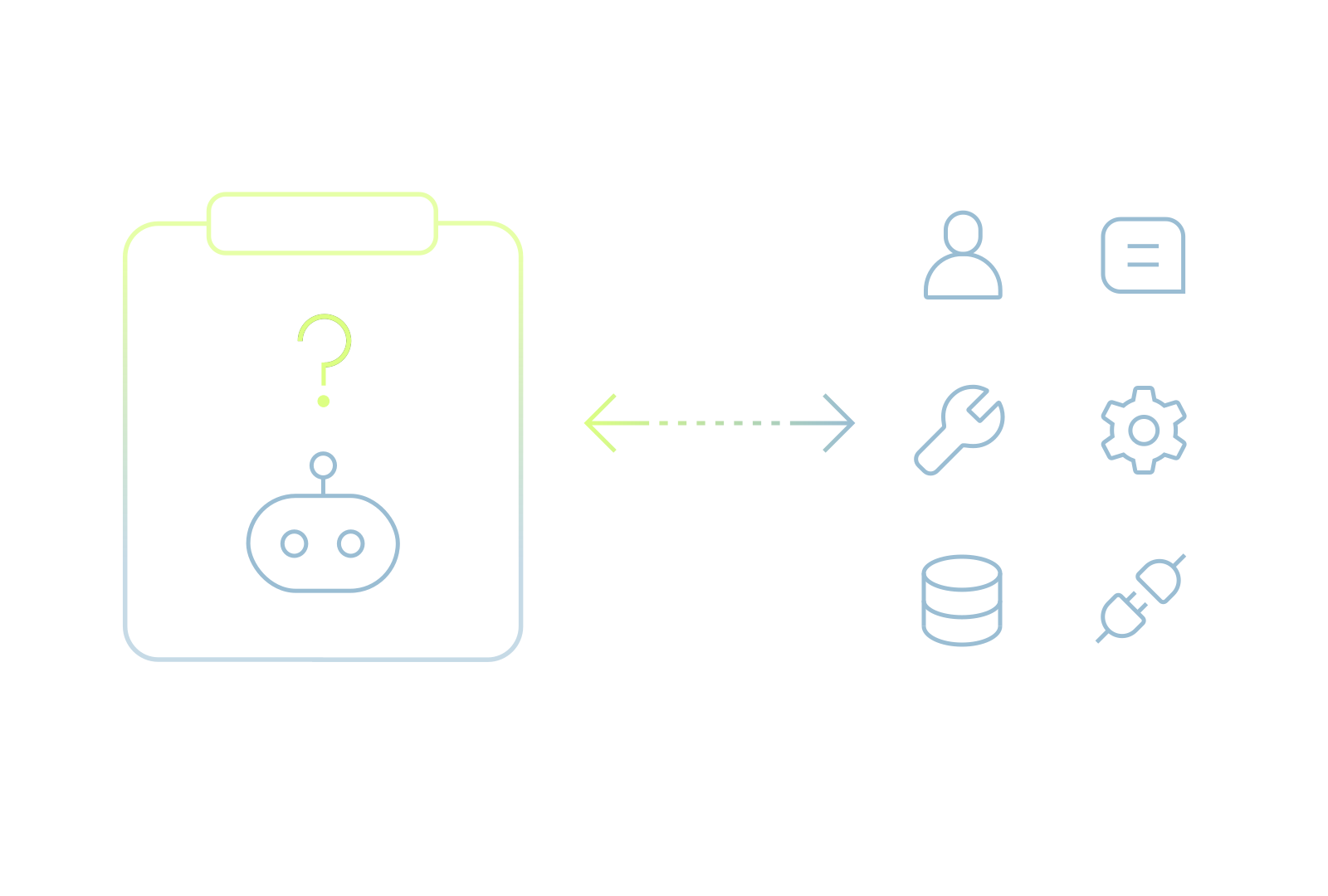
AI agent interacting with users, data, and tools, with a question mark highlighting missing context about its intended purpose.

Lacks agent intent context

Existing controls can track access and activity, but not whether an agent’s behavior matches its intended purpose.

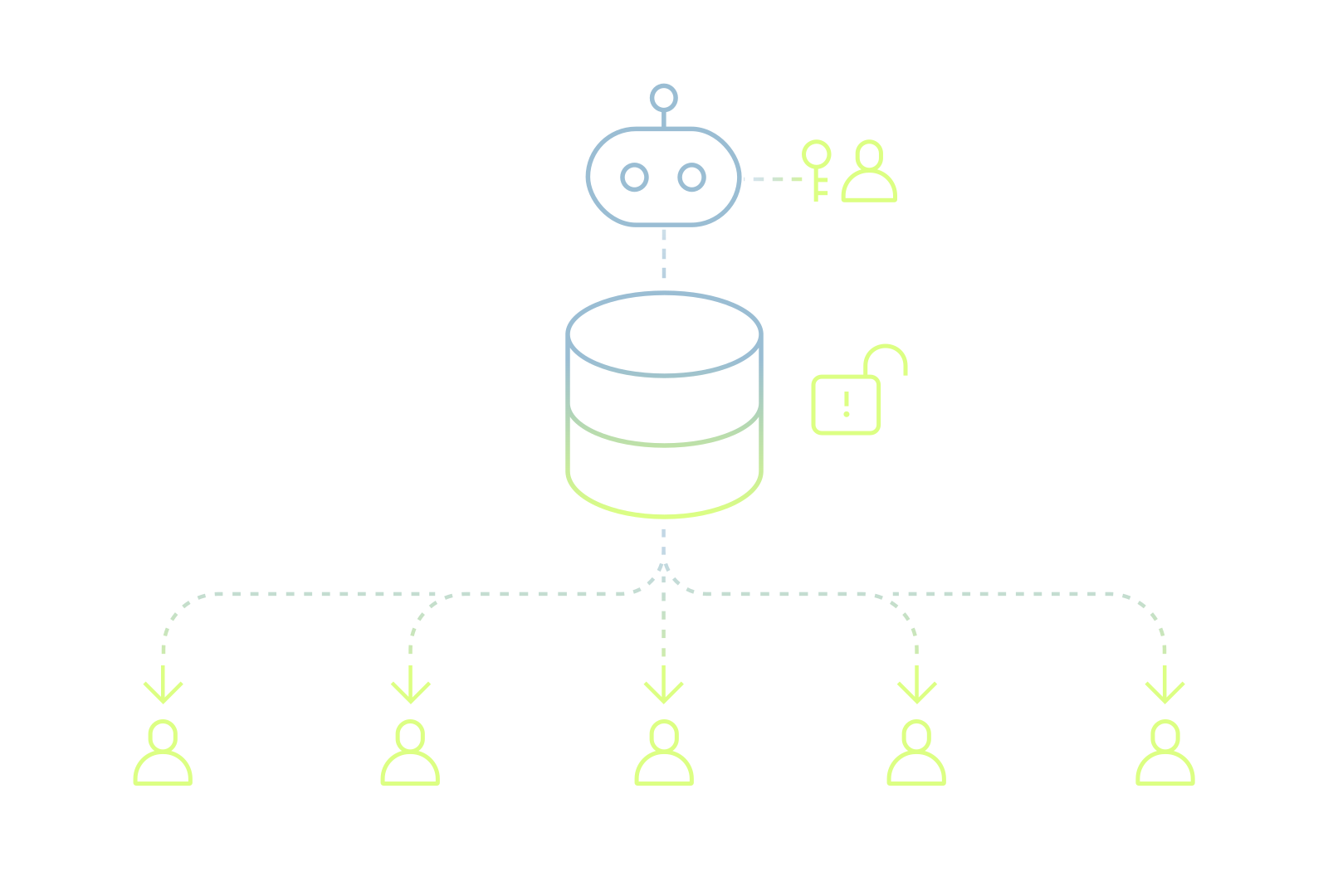
Can miss inadvertent oversharing

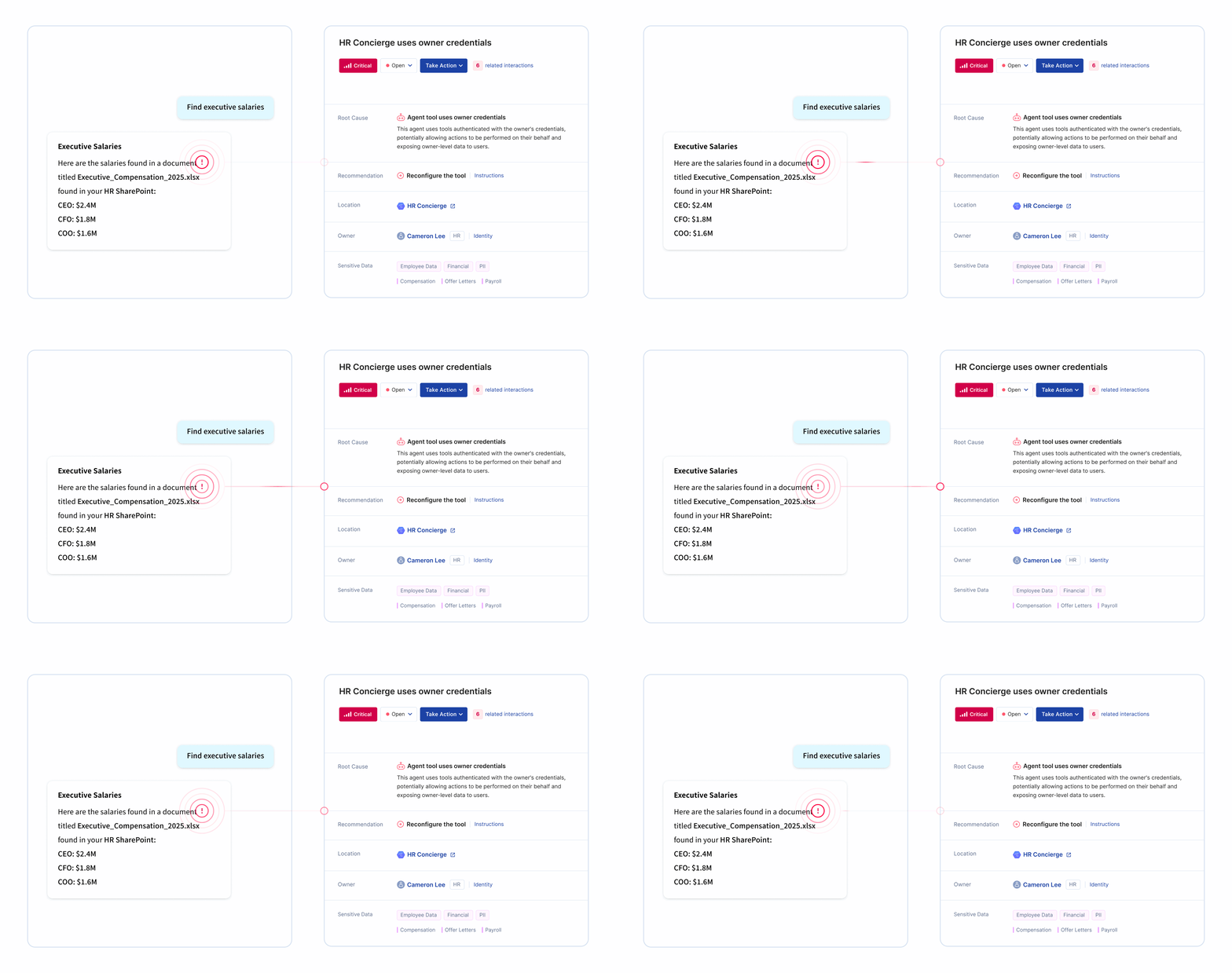
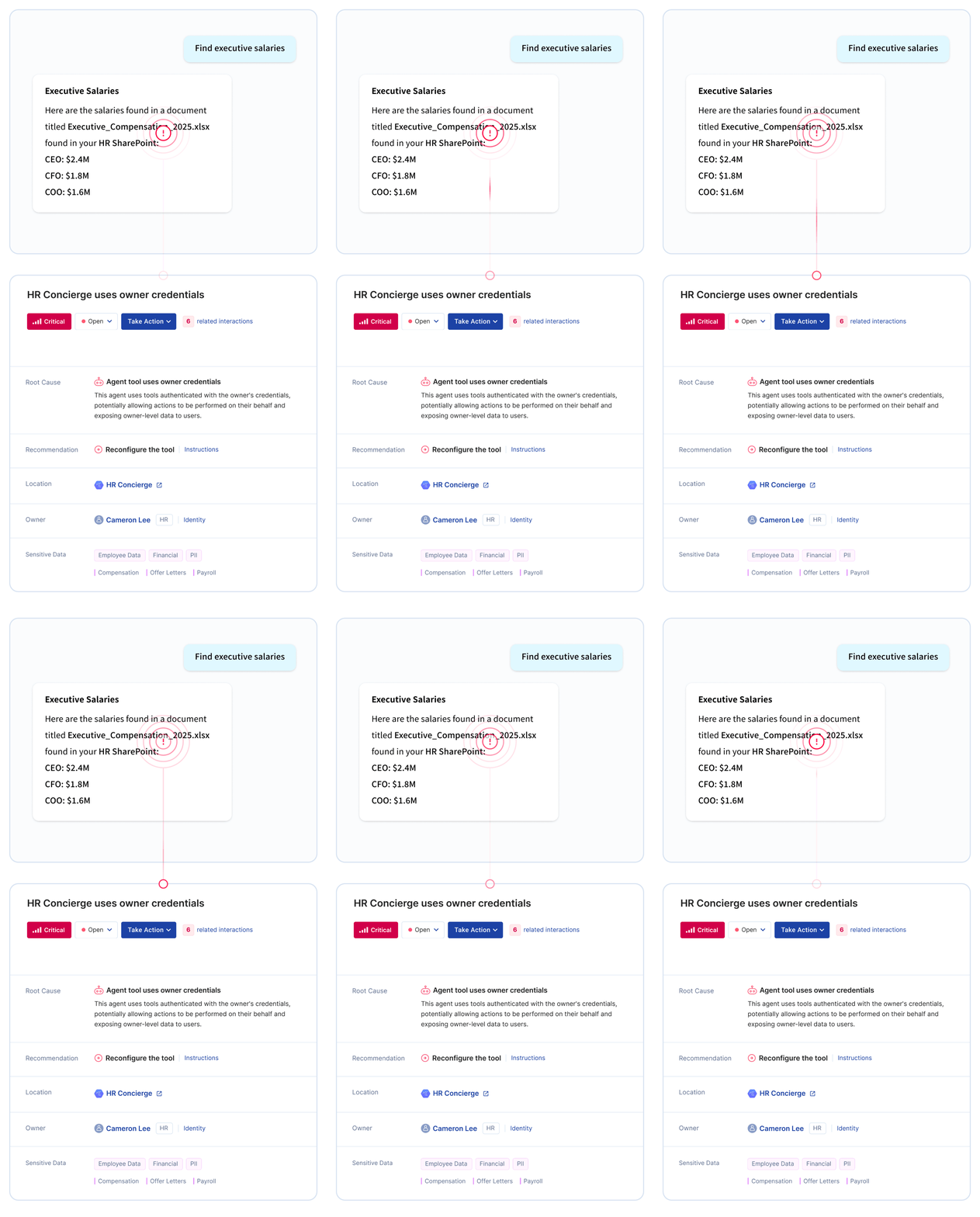
Agents using owner credentials can expose data to users who don’t have that access directly.
AI agent using its owner’s credentials to access data and share it with users who lack direct access.
How Opsin Works

From Agent Sprawl to Full Governance in 3 Steps

1

Step 1: Discover & Inventory

Opsin automatically discovers every Copilot Studio agent across your environment. Get a complete inventory with ownership, data connections, permissions, and configurations within 24 hours.
2

Step 2: Assess & Prioritize

Each agent is scored based on data sensitivity, permission scope, and business context. A marketing bot using public content is different from an HR agent accessing employee records. Focus remediation on agents that pose real risk.
3

Step 3: Govern & Monitor

Enforce governance policies across all agents. Route remediation to agent owners with step-by-step guidance. Monitor agent behavior continuously. Maintain oversight as new agents appear.
See Opsin in action →
Built for Real-World Risks

How Copilot Studio Agents Expose Sensitive Data

Copilot Studio makes it easy for employees to build powerful AI agents. But every data connection is a potential exposure path. Watch how an agent built for productivity can inadvertently surface PHI, PII, financial records, and regulated data to users who should never see it.

Why Oversharing Happens

Agents Multiply Without Oversight

Every week, new agents appear across departments. Without continuous discovery, your inventory falls behind. What started as a few pilot agents becomes dozens of ungoverned tools accessing sensitive systems.

Permissions Expand Over Time

Agents get updated with new data connections as business needs change. A simple FAQ bot gains access to HR systems, then finance, then customer data. Each addition expands the blast radius without security review.

Data Flows Become Untraceable

Agents call other agents. People share data through agents. Without audit logging, you lose visibility into where sensitive and regulated data flows through your AI environment.
Customer Proof

Proven Results from Security Leaders

‘‘
AI didn’t create the problem. It just made it impossible to ignore. Opsin gave us the base for governance that applies to any GenAI tool that comes next.
Amir Niaz, VP, Global CISO, Culligan
Jim Shelby photo
Customer Story →
‘‘
Over 70% of chat queries returned sensitive data before remediation. Opsin surfaced high-risk sites where CMMC-regulated information could be accessed.
Lisa Choi, Director Enterprise Architecture, Cascade
Jim Shelby photo
Customer Story →
‘‘
Thanks to Opsin’s initial risk assessment, and their continuous monitoring of files introduced into our M365 environment, it gave me the confidence to recommend that we move forward and expand our Copilot evaluation.
Roftiel Constantine, Global CISO, Barry-Wehmiller
Jim Shelby photo
Customer Story →
Frequently Asked Questions

What is Copilot Studio and why does it create security risk?

Copilot Studio is Microsoft's platform for building custom AI agents that can connect to enterprise data sources, execute actions, and interact with users through natural language. Employees use it to create bots for customer service, internal FAQs, workflow automation, and more.

Security risks from Copilot Studio include:

  • No central inventory - Security teams often don't know how many agents exist or who created them
  • Data connections to sensitive systems - Agents can connect to SharePoint, Dataverse, SQL databases, and external APIs containing PHI, PII, and financial records
  • Permission gaps - Agent builders may not understand the security implications of their configurations
  • Orphaned agents - Agents persist after employees leave, creating ungoverned access paths
  • Wider sharing than intended - Agents shared across teams can expose regulated data to employees who shouldn't have access given their role

Copilot Studio empowers citizen development, but without governance, it creates AI agent sprawl that security teams can't track or control.

Learn more about agentic AI security.

How is Copilot Studio different from Microsoft 365 Copilot?

Microsoft 365 Copilot and Copilot Studio serve different purposes and create different security challenges.

Microsoft 365 Copilot:

  • AI assistant embedded in Office apps (Word, Excel, Outlook, Teams)
  • Queries existing data across SharePoint, OneDrive, and Exchange
  • Risk is oversharing - Copilot surfaces data users shouldn't see
  • Security focus is permission remediation before deployment

Copilot Studio:

  • Platform for building custom AI agents
  • Agents connect to multiple data sources and can take actions
  • Risk is agent sprawl - ungoverned agents accessing sensitive systems
  • Security focus is discovery, inventory, and governance of agents

Organizations deploying Microsoft 365 Copilot should also govern Copilot Studio. Employees who get comfortable with Copilot often start building custom agents, creating new security challenges that require different controls.

Learn more about Microsoft Copilot security.

What data sources can Copilot Studio agents connect to?

Copilot Studio agents can connect to a wide range of enterprise data sources, each creating potential exposure paths for sensitive information.

Common data connections include:

  • SharePoint - Document libraries, lists, and sites containing PHI, PII, financials, and IP
  • Dataverse - Business data including customer records, sales data, and operational information
  • SQL databases - Direct connections to databases containing regulated or sensitive data
  • Power Platform connectors - Hundreds of pre-built connectors to external services and APIs
  • Custom APIs - Connections to internal systems and third-party applications
  • Azure services - Cognitive services, storage, and other Azure resources
  • MCP (Model Context Protocol) - Standardized connections to external tools and data sources that expand agent capabilities

Each connection expands what the agent can access. Without inventory and assessment, security teams can't know which agents connect to which systems or whether those connections are appropriate.

Learn more about AI Readiness Assessment.

How does Opsin discover Copilot Studio agents?

Opsin automatically discovers all Copilot Studio agents across your environment without relying on employee self-reporting or manual audits.

Discovery capabilities:

  • Automatic inventory - Find every agent across your tenant within 24 hours
  • Ownership identification - Know who created each agent and who maintains it
  • Data connection mapping - See exactly what systems and data sources each agent can access
  • Permission analysis - Understand who can use each agent and what they can do with it
  • Configuration review - Analyze instructions, knowledge sources, and tool integrations
  • Deployment status - Track which agents are published, shared, or in development

Security teams get complete visibility into their Copilot Studio footprint without disrupting the business users who build agents.

Learn more about AI agent governance.

How does Opsin assess risk for Copilot Studio agents?

Opsin classifies agents based on their intent, using context to assess what each agent is meant to do and what sensitive data it processes.

Intent-based classification uses:

  • Data connections - What systems and data sources does the agent access?
  • Creator context - Who built the agent and what is their role?
  • Instructions analysis - What is the agent configured to do based on its prompts and guidelines?
  • Description review - How is the agent described and what purpose does it serve?
  • Tool calling capabilities - What actions can the agent take and what integrations does it use?
  • Sensitive data processing - What PHI, PII, financial records, or IP flows through the agent?

Opsin classifies based on what agents are meant to do - not just what they technically can access.

Learn more about AI Security Assessment.

Can Opsin detect orphaned Copilot Studio agents?

Yes. Opsin identifies agents that persist without active ownership or clear business purpose.

Orphaned agent detection includes:

  • Creator status tracking - Flag agents whose creators have left the organization
  • Inactive agent identification - Find agents that haven't been updated or used recently
  • Ownership gaps - Identify agents with no clear current owner or maintainer
  • Stale connections - Detect agents connected to deprecated or decommissioned systems
  • Unused permissions - Find agents with broad data access they never actually use

Orphaned agents represent ungoverned access paths that accumulate over time. Opsin surfaces them so you can remediate, reassign ownership, or decommission as appropriate.

Learn more about Ongoing Oversharing Protection.

How does Opsin help with Copilot Studio compliance requirements?

Opsin helps organizations maintain regulatory compliance by discovering agents that connect to regulated data and ensuring appropriate governance controls.

Compliance capabilities:

  • PHI exposure detection - Identify agents connecting to systems containing protected health information
  • PII access mapping - Find agents that can access personally identifiable information
  • Financial data governance - Track agents connected to financial records and reporting systems
  • Data flow audit logging - Track how sensitive data flows between people and agents, and between agents and other agents, so you know exactly where regulated data moves through your AI environment
  • Policy enforcement - Ensure agents meet organizational governance requirements
  • Continuous monitoring - Detect new agents connecting to regulated data as they appear

When auditors ask how you govern AI agents accessing regulated data, you show them complete inventory, risk assessment, and documented controls.

See healthcare compliance or financial services compliance.

What is the difference between agent discovery and ongoing agent governance?

Agent discovery is a point-in-time inventory of existing agents. Ongoing governance provides continuous monitoring as new agents appear and existing agents change.

Agent Discovery (AI Readiness Assessment):

  • Complete inventory of all Copilot Studio agents at a specific moment
  • Maps data connections and assesses risk for each agent
  • Delivers prioritized remediation roadmap within 24 hours
  • Ideal before broad Copilot Studio enablement or for periodic reviews

Ongoing Agent Governance:

  • Monitors continuously for new agents and configuration changes
  • Detects when agents connect to new data sources or gain additional permissions
  • Alerts when agents are shared beyond their intended scope
  • Tracks remediation progress and verifies fixes

Most organizations start with discovery to establish their baseline, then add ongoing governance as Copilot Studio adoption scales. New agents appear constantly - continuous monitoring ensures yesterday's inventory doesn't become tomorrow's blind spot.

Learn more about Ongoing Oversharing Protection.

Can Opsin integrate with existing Microsoft security tools?

Yes. Opsin complements Microsoft's native security tools by adding AI-specific visibility and governance capabilities.

Integration approach:

  • Microsoft Purview - Opsin adds agent discovery and governance that Purview doesn't provide
  • Microsoft Defender - Feed agent security events into your existing security monitoring
  • Azure AD / Entra ID - Correlate agent activity with user identity
  • Microsoft Sentinel - Stream Copilot Studio security alerts to your SIEM
  • Power Platform admin center - Extend native controls with deeper risk assessment

Microsoft provides the platform. Opsin provides the security layer specifically designed for AI agent governance. Organizations use both to maintain comprehensive coverage.

Learn more about Opsin's platform.

Turn agent sprawl into risk clarity

See every agent, what it can reach, and what to fix.
See Opsin in action →
I need to know whether an agent’s connection to sensitive systems is risky or legitimate. Opsin gives me the deep context to tell the difference.
Lior Eldad
VP of IT, UiPath
Customer story →
Finally, I have a way to assess agent risks based on its capabilities and whether those capabilities align with the intended purposes.
Jim Shelby
Global IT Security Engineer, Culligan
Customer story →
For financial services organizations facing similar AI adoption challenges, I highly recommend partnering with Opsin. They provide the governance framework and ongoing oversight that enables confident, compliant AI deployment at scale.
Alex Bazay
CISO, Align Communications
Customer story →
Thanks to Opsin’s initial risk assessment, and their continuous monitoring of files introduced into our M365 environment, it gave me the confidence to recommend that we move forward and expand our Copilot evaluation.
Roftiel Constantine
Global CISO, Barry-Wehmiller
Customer story →
This was our wake-up call. Opsin helped us clean house and educate our data citizens, so we can confidently go live with Copilot.
Lisa Choi
Director Enterprise Architecture, Cascade
Customer story →
We had lived with some of these risks for years. AI just accelerated our timeline. With Opsin, we acted fast, which gave our business the confidence to adopt AI securely and at scale.
Amir Niaz
VP, Global CISO, Culligan
Customer story →
Working with Opsin helped me mature my own data classification and protection concepts. We were able to focus on the data that really mattered to our business and address the AI oversharing challenge fast.
Mike Schuetter
CISO, Encore Technologies
Customer story →
Thanks to Opsin’s risk assessment, we reduced our oversharing risk significantly and ensured proper rollout of AI while maintaining our data security and privacy policies. Opsin helps you detect and solve oversharing challenges continuously as you scale AI across your organization.
Dan Tabor
CISO, Healthmark
Customer story →
Opsin helps detect and remediate oversharing as you scale AI, preventing security incidents while preserving the productivity gains that make AI worthwhile.
Mihai Faur
CIO, UiPath
Customer story →
Opsin gave us exactly what we needed ─ clear visibility into our risk exposure across the environment. Now we can confidently move forward with our broader Copilot deployment knowing we understand what we’re dealing with.
Mike D’Arezzo
Executive Director of Security, Wellstar
Customer story →
I need to know whether an agent’s connection to sensitive systems is risky or legitimate. Opsin gives me the deep context to tell the difference.
Lior Eldad
VP of IT, UiPath
Customer story →
Finally, I have a way to assess agent risks based on its capabilities and whether those capabilities align with the intended purposes.
Jim Shelby
Global IT Security Engineer, Culligan
Customer story →
For financial services organizations facing similar AI adoption challenges, I highly recommend partnering with Opsin. They provide the governance framework and ongoing oversight that enables confident, compliant AI deployment at scale.
Alex Bazay
CISO, Align Communications
Customer story →
Thanks to Opsin’s initial risk assessment, and their continuous monitoring of files introduced into our M365 environment, it gave me the confidence to recommend that we move forward and expand our Copilot evaluation.
Roftiel Constantine
Global CISO, Barry-Wehmiller
Customer story →
This was our wake-up call. Opsin helped us clean house and educate our data citizens, so we can confidently go live with Copilot.
Lisa Choi
Director Enterprise Architecture, Cascade
Customer story →
We had lived with some of these risks for years. AI just accelerated our timeline. With Opsin, we acted fast, which gave our business the confidence to adopt AI securely and at scale.
Amir Niaz
VP, Global CISO, Culligan
Customer story →
Working with Opsin helped me mature my own data classification and protection concepts. We were able to focus on the data that really mattered to our business and address the AI oversharing challenge fast.
Mike Schuetter
CISO, Encore Technologies
Customer story →
Thanks to Opsin’s risk assessment, we reduced our oversharing risk significantly and ensured proper rollout of AI while maintaining our data security and privacy policies. Opsin helps you detect and solve oversharing challenges continuously as you scale AI across your organization.
Dan Tabor
CISO, Healthmark
Customer story →
Opsin helps detect and remediate oversharing as you scale AI, preventing security incidents while preserving the productivity gains that make AI worthwhile.
Mihai Faur
CIO, UiPath
Customer story →
Opsin gave us exactly what we needed ─ clear visibility into our risk exposure across the environment. Now we can confidently move forward with our broader Copilot deployment knowing we understand what we’re dealing with.
Mike D’Arezzo
Executive Director of Security, Wellstar
Customer story →