AI Risk Assessment

AI Risk Assessment for GenAI Tools

Opsin maps your AI attack surface, identifying data exposure, agent risks, and compliance gaps. Get a prioritized remediation roadmap in 24 hours.
See Opsin in action →
Tiled product UI crops
Trusted by leaders
See what they say ↓
30%

of enterprise agents are connected to highly sensitive data

The Solution

Map Your AI Attack Surface. Fix What Matters First.

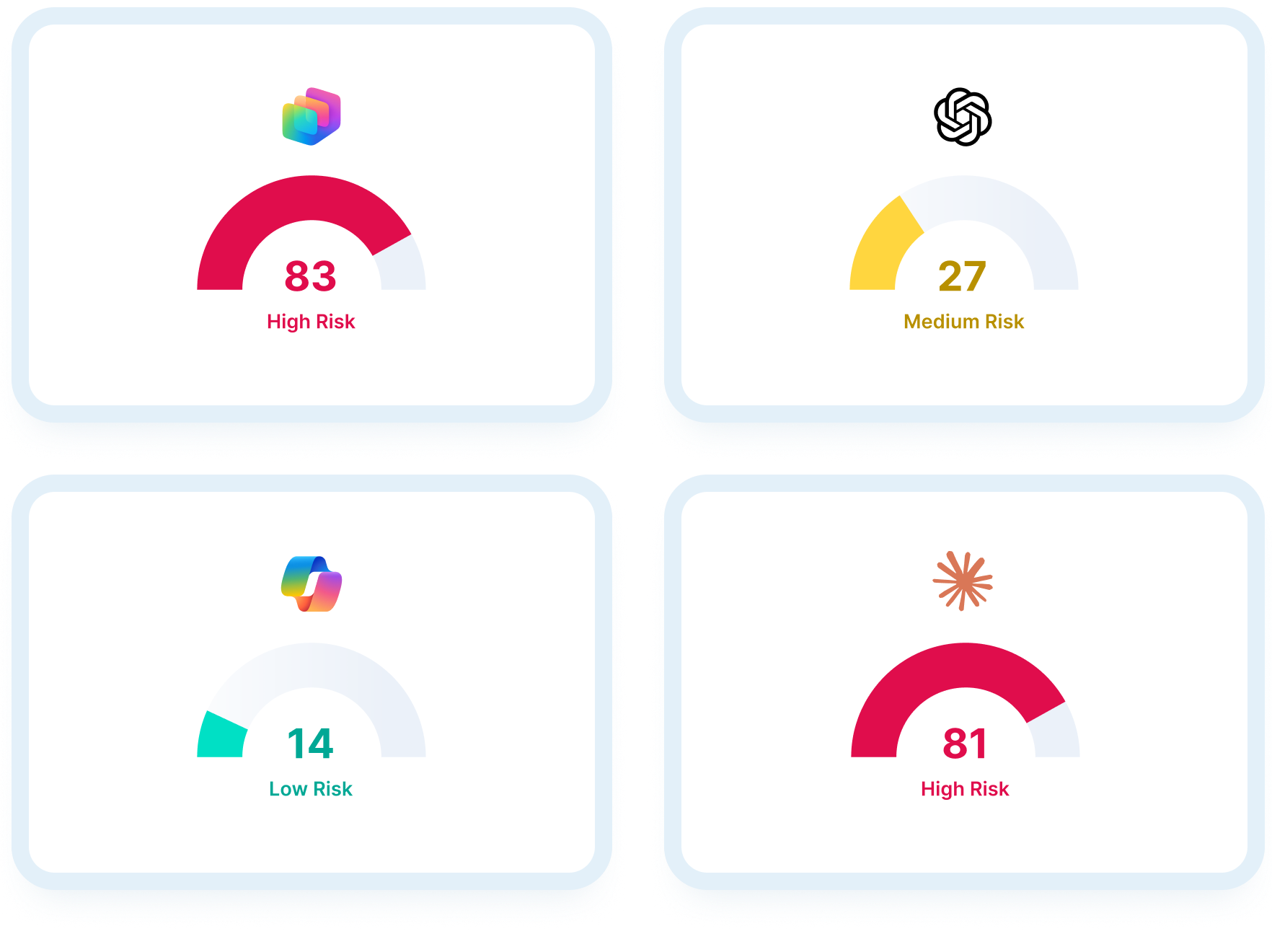
Complete AI Inventory

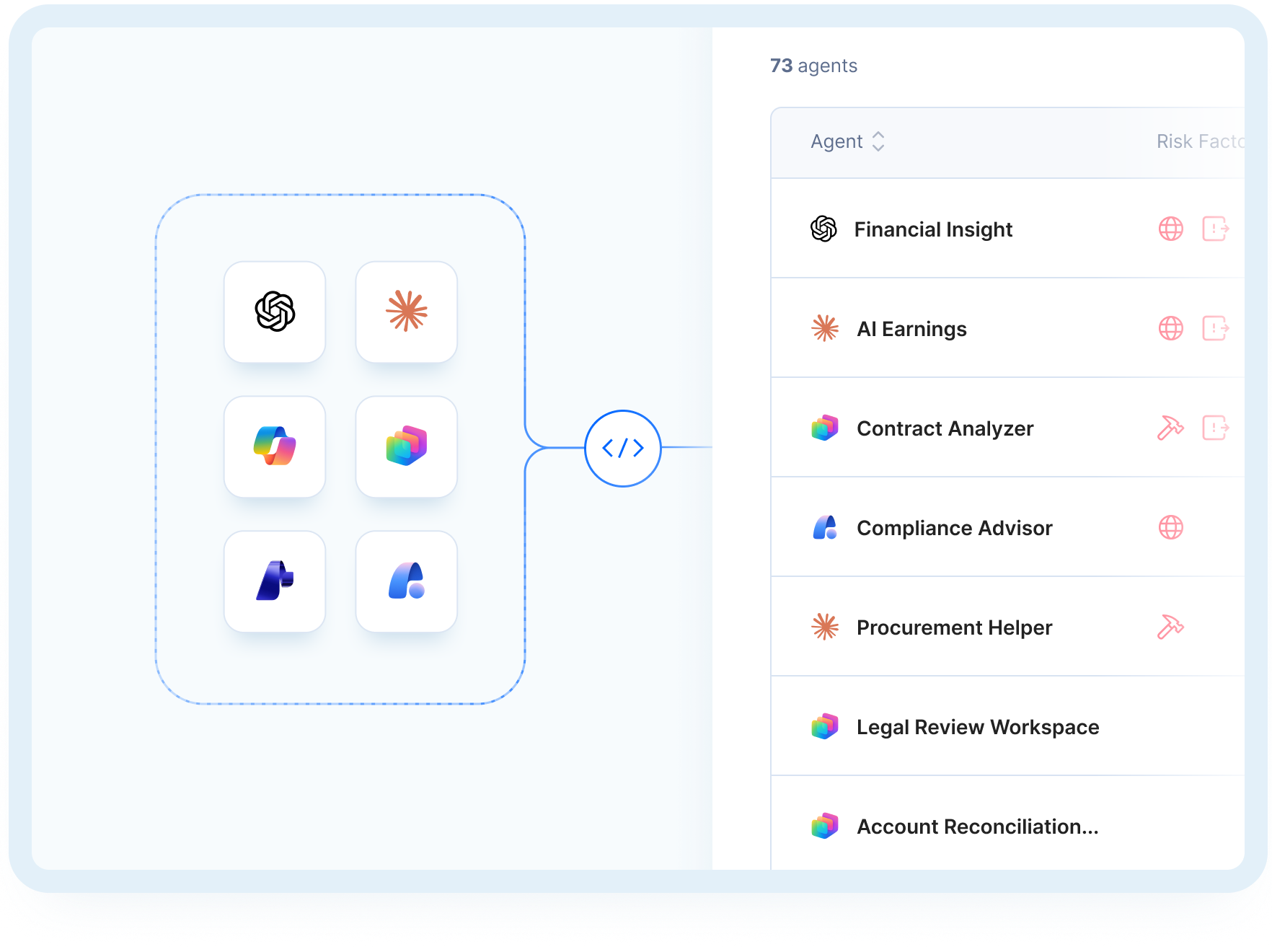
Discover every AI tool, custom agent, and GenAI integration across your enterprise, including agents built without security review. Know what exists before it becomes a problem.

Opsin product UI snippets

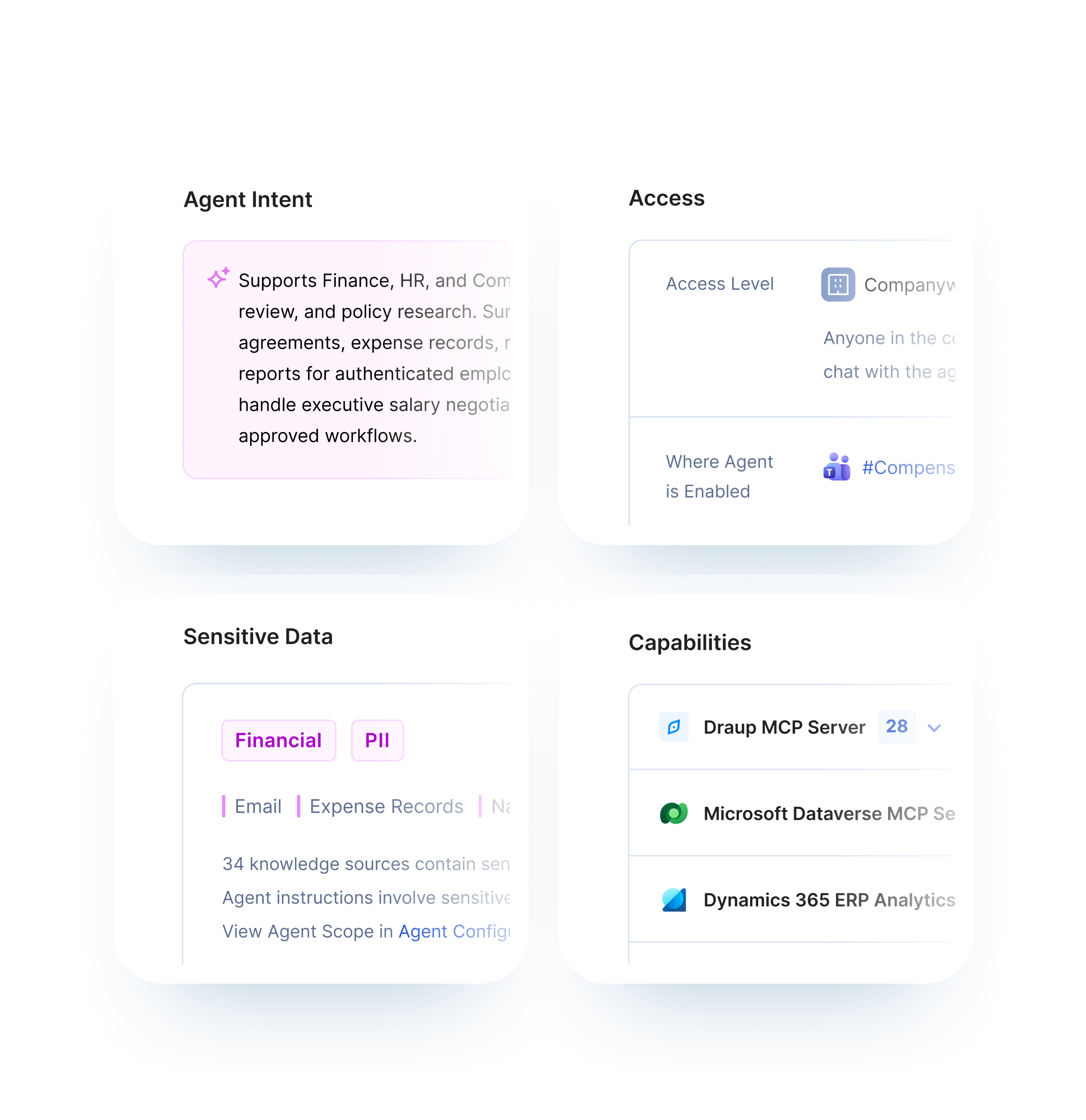
Data Exposure Mapping

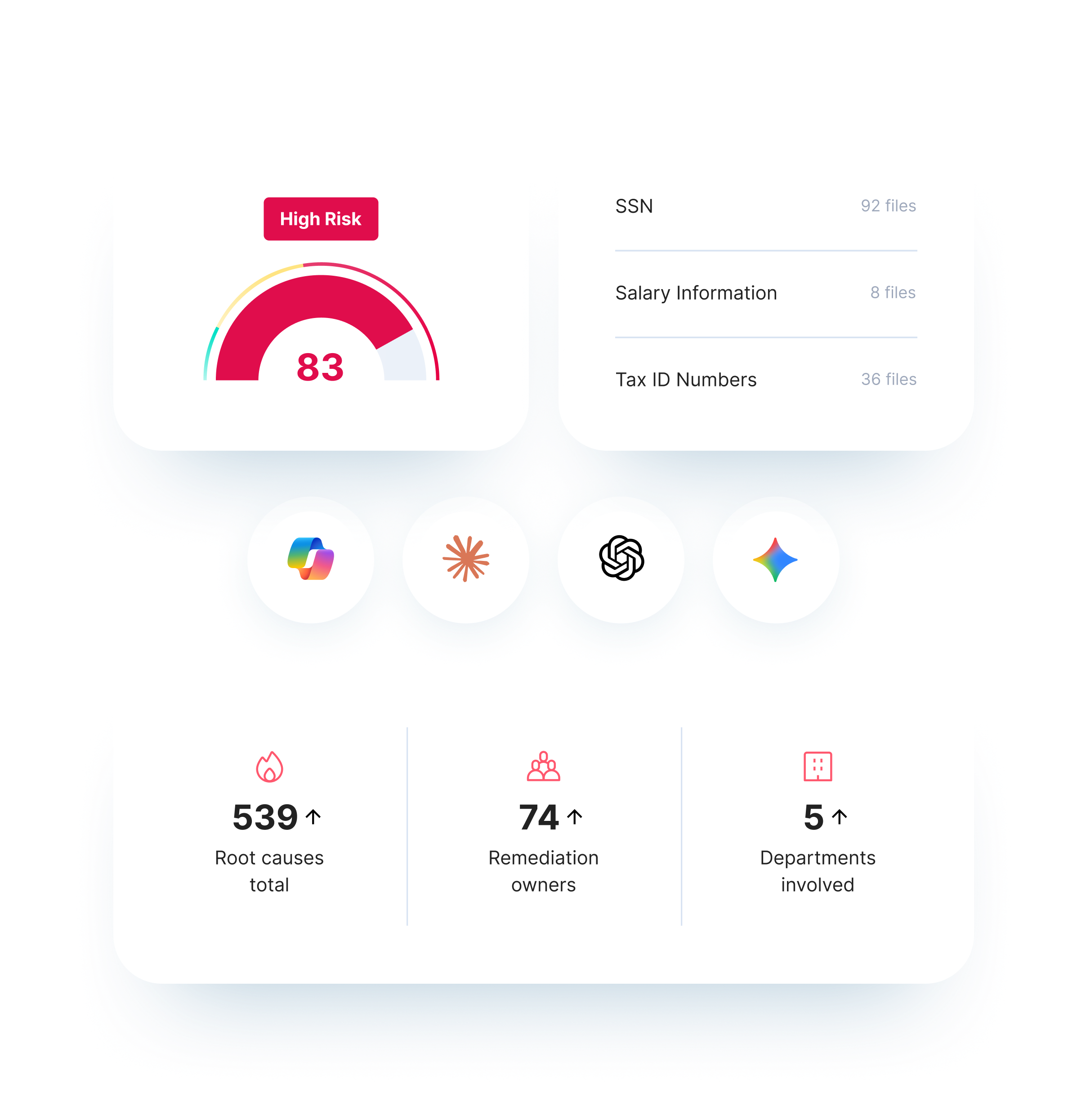
See exactly what sensitive data your AI tools can access and surface. Identify oversharing, permission gaps, and data sources that should never have been connected to GenAI.

Opsin product UI snippets

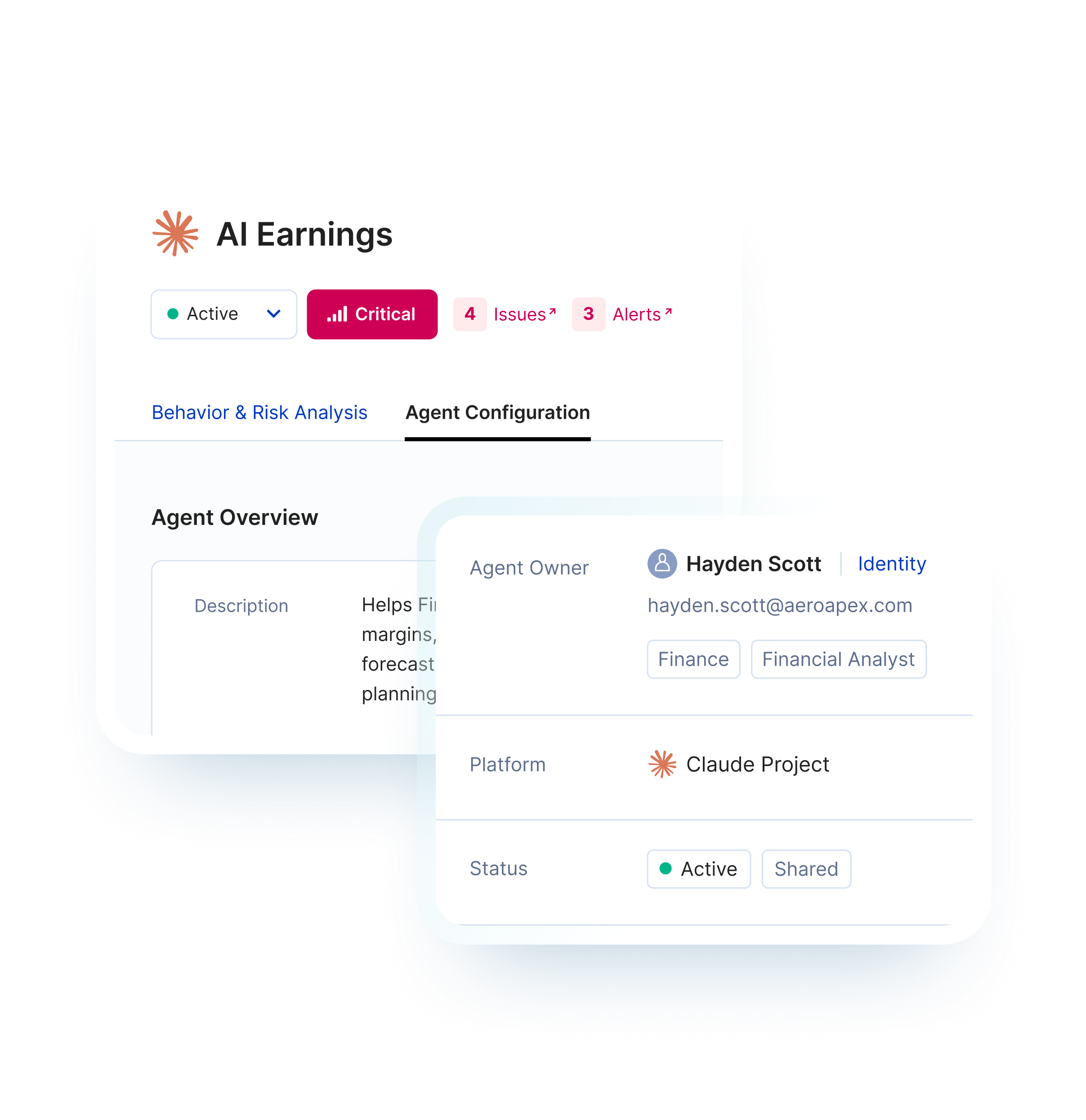
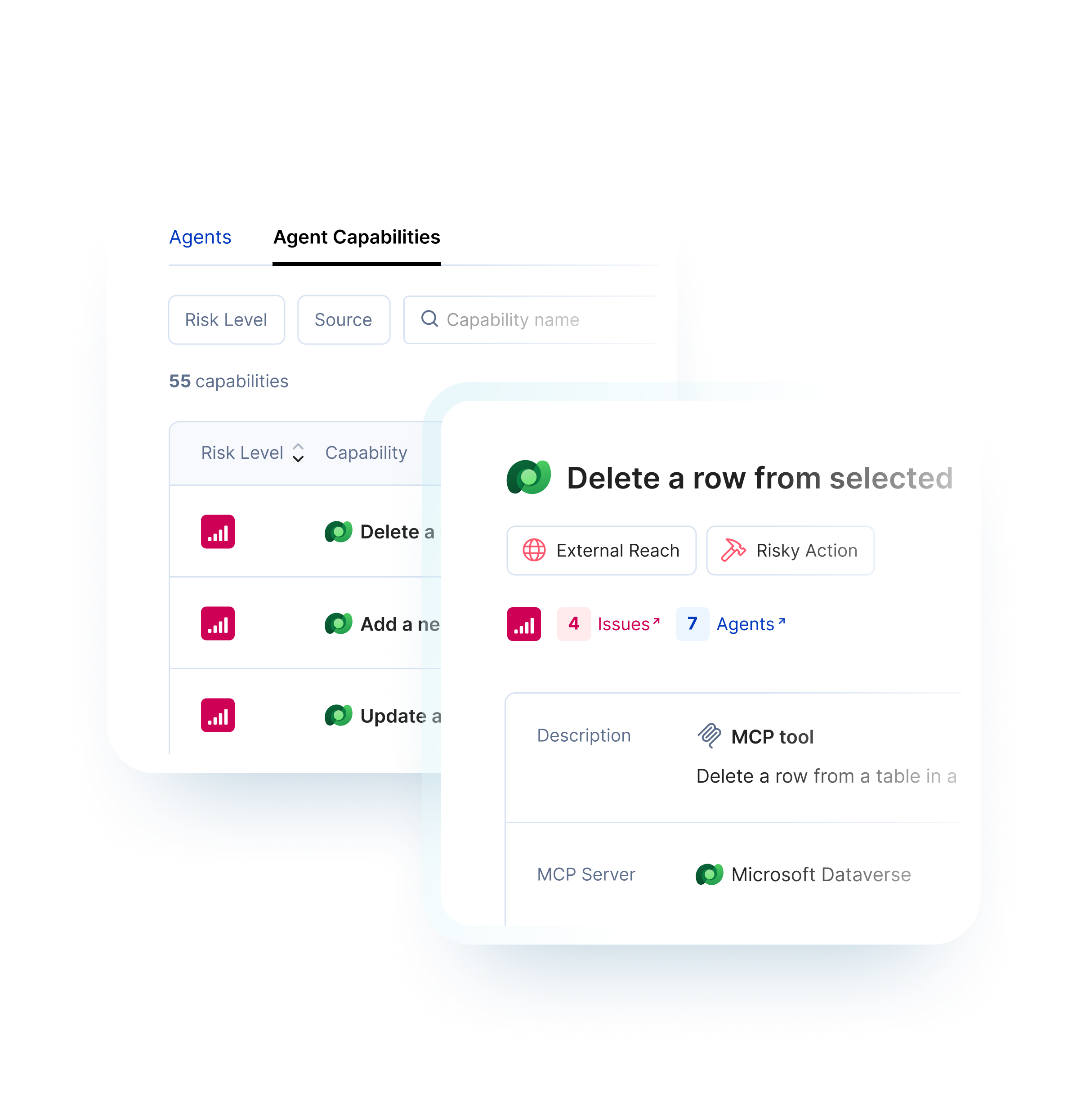
Agent Risk Scoring

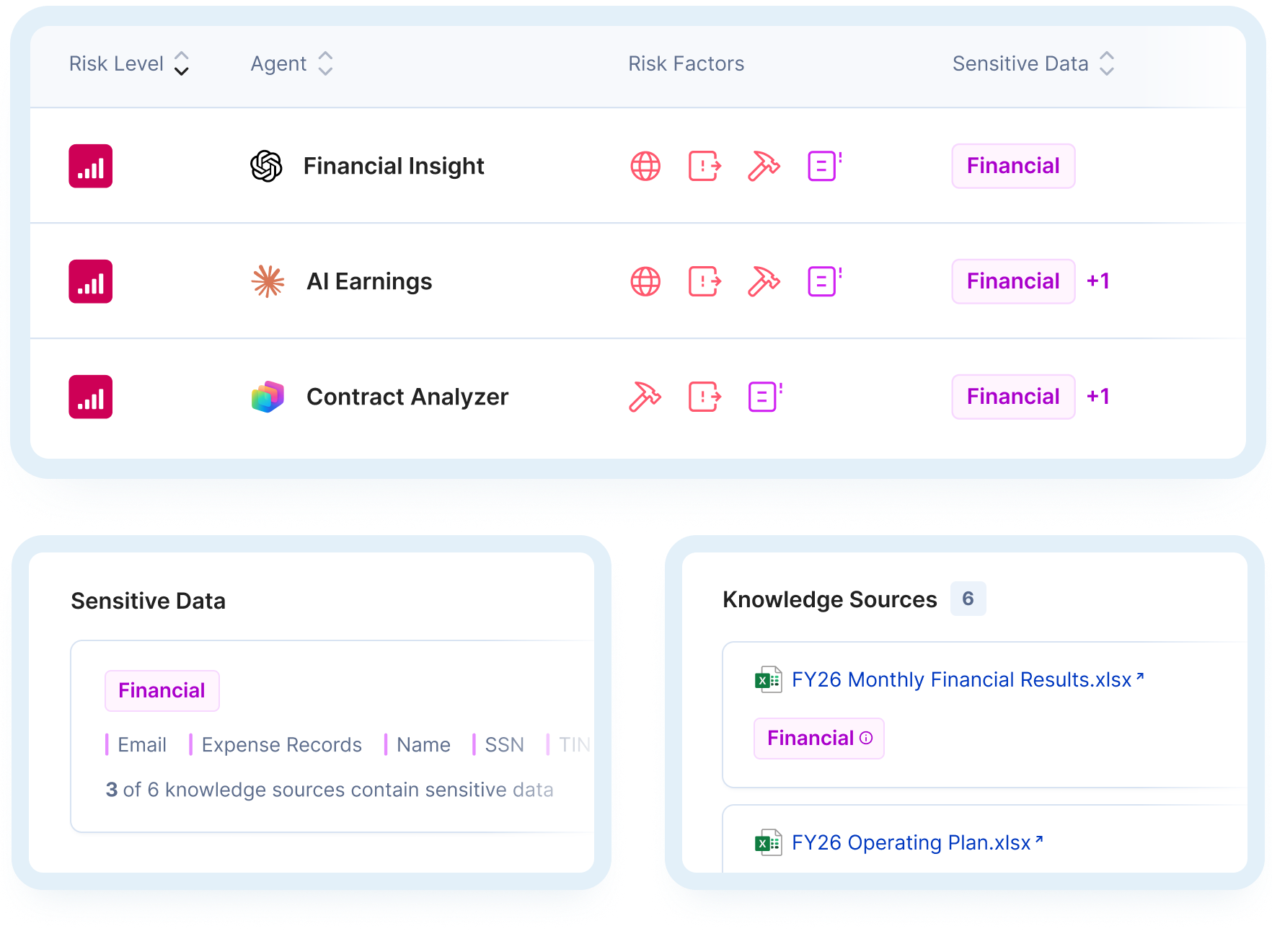
Evaluate custom GPTs, Copilot Studio agents, and AI automations for excessive permissions, weak authentication, dangerous tool integrations, and orphaned ownership.

Opsin product UI snippets
How It Works

From Blind Spots to Clear Action

1

Connect Your Environment

Opsin connects to Copilot, Claude, ChatGPT Enterprise, and your AI platforms via secure API. We discover AI tools, agents, data connections, and configurations automatically ─ no agents, no data movement, no disruption.
2

Assess Your AI Security Posture

Opsin evaluates your deployment across every dimension: data exposure, permission gaps, agent security, threat vectors, and compliance alignment. Each finding is scored by sensitivity, business impact, and exploitability.
3

Get Your Prioritized Report

Within 24 hours, you receive a comprehensive AI Security Assessment: executive summary, detailed findings, compliance gap analysis, and a prioritized remediation roadmap. You'll know exactly what to fix and in what order.
4

See
AI Risk Assessment
in action →
Customer Proof

Assess agent risk with confidence

‘‘
Finally, I have a way to assess agent risks based on its capabilities and whether those capabilities align with the intended purposes.
Jim Shelby, Global IT Security Engineer, Culligan
Jim Shelby photo
‘‘
I need to know whether an agent’s connection to sensitive systems is risky or legitimate. Opsin gives me the deep context to tell the difference.
Lior Eldad, VP of IT, UiPath
Lior Eldad photo
Related Solutions

Extend protection across the agent lifecycle

Opsin covers the full agent lifecycle, from discovery to enforcement.
AI Risk Assessment
FAQ

What is an AI security assessment and why do I need one?

Chevron button icon

An AI security assessment is a systematic evaluation of your organization's GenAI attack surface - the AI tools, agents, data connections, and configurations that create security and compliance risk.

You need one because AI adoption has outpaced security visibility. Employees use Copilot, build custom agents, and connect ChatGPT to enterprise data without security review. Traditional tools don't see these risks. An AI security assessment shows you:

  • Every AI tool and agent in your environment
  • What sensitive data AI can access and surface
  • Where permissions, configurations, and integrations create exposure
  • How your posture maps against compliance requirements
  • Which vulnerabilities to fix first based on actual business risk

Without assessment, you're securing AI blind.

Learn more about Copilot security.

What's the difference between AI Security Assessment and AI Readiness Assessment?

Chevron button icon

AI Readiness Assessment answers: "What sensitive data could AI access if we deploy it?" AI Security Assessment answers: "What's our actual AI security posture right now?"

AI Readiness Assessment:

  • Pre-deployment focus
  • Identifies oversharing risks before rolling out Copilot or Gemini
  • Delivers results in 24 hours
  • Ideal for organizations planning their first AI deployment

AI Security Assessment:

  • Post-deployment and ongoing evaluation
  • Maps your full AI attack surface including agent sprawl and custom agents
  • Covers data exposure, agent risks, threat vectors, and compliance gaps
  • Delivers comprehensive report with remediation roadmap in 24 hours
  • Ideal for organizations already using AI who need to assess and reduce risk

Many organizations use AI Readiness Assessment before deployment, then conduct periodic AI Security Assessments as their AI program expands.

Learn more about AI Readiness Assessment.

What AI tools and platforms does the assessment cover?

Chevron button icon

Opsin assesses security across every major enterprise AI platform - including tools employees adopt without security approval.

Supported platforms include:

  • Microsoft 365 Copilot across SharePoint, OneDrive, Teams, and Graph connectors
  • Microsoft Copilot Studio custom agents and automations
  • ChatGPT Enterprise including custom GPTs, data connections, and plugins
  • Google Gemini with visibility into Google Workspace integrations

The assessment adapts as your AI landscape evolves - new tools, new agents, new integrations are automatically discovered.

Learn more about ChatGPT Enterprise security or Google Gemini security.

What security risks does the AI Security Assessment identify?

Chevron button icon

The assessment identifies risks specific to GenAI that traditional security tools miss entirely.

Risk categories include:

  • Data exposure - oversharing, permission misconfigurations, sensitive data accessible to AI queries
  • Agent security gaps - excessive permissions, weak authentication, dangerous tool integrations, orphaned agents without owners
  • Threat vectors - prompt injection vulnerabilities, RAG poisoning exposure, data exfiltration paths
  • Compliance violations - gaps against HIPAA, CMMC, SOC 2, GDPR, and AI-specific regulations
  • Insider risk indicators - unusual access patterns, high-risk configurations, departing employee exposure

Every finding includes severity rating, business context, and specific remediation steps.

How long does the assessment take?

Chevron button icon

Connect in minutes. Get your comprehensive report in 24 hours.

  • One-click onboarding connects securely to your environment via API
  • Automated discovery identifies AI tools, agents, and configurations immediately
  • Security analysis evaluates posture across all risk dimensions
  • Report delivery within 24 hours with prioritized findings and remediation roadmap

Traditional security assessments take weeks of manual work. Opsin delivers actionable intelligence at the speed AI adoption demands.

Does Opsin access the contents of our files or data?

Chevron button icon

No. Opsin analyzes metadata, permissions, and configurations only. Your data never leaves your environment.

What Opsin accesses:

  • Permission structures showing who can access what
  • AI tool and agent configurations
  • File metadata including names, locations, and sharing settings
  • Sensitivity labels already applied to your content

What Opsin never accesses:

  • File contents or document text
  • Actual prompts or AI responses (unless AI Detection & Response is enabled)
  • Any data outside your authorized tenant

Opsin operates like Microsoft's own compliance tools - read-only API access to assess risk without processing sensitive information.

Learn more about GenAI security.

What do I get in the assessment report?

Chevron button icon

You receive a comprehensive report designed for action - not just awareness.

Report includes:

  • Executive summary - overall risk score and key findings for leadership
  • Complete AI inventory - every tool, agent, and integration discovered
  • Detailed findings - organized by category with severity, context, and evidence
  • Compliance gap analysis - mapping against relevant regulatory frameworks
  • Threat vector assessment - GenAI-specific vulnerabilities in your environment
  • Prioritized remediation roadmap - specific action steps ranked by business impact
  • Quick wins - immediate fixes you can implement today

The report answers the question security leaders care about most: what should we fix first?

Learn more about AI governance.

What's the difference between AI Security Assessment and AI-SPM or DSPM tools?

Chevron button icon

AI Security Assessment is purpose-built for GenAI risk. Traditional DSPM (Data Security Posture Management) and emerging AI-SPM tools take different approaches.

Traditional DSPM tools:

  • Scan for sensitive data across all repositories
  • Flag individual files without GenAI context
  • Don't discover or assess AI agents
  • Require months of configuration before delivering value

AI Security Assessment from Opsin:

  • Maps your complete AI attack surface - tools, agents, data connections
  • Shows what AI can actually access and surface through queries
  • Discovers and risk-scores custom agents and shadow AI
  • Identifies GenAI-specific threats like prompt injection and RAG poisoning
  • Delivers prioritized findings in 24 hours with one-click onboarding

Opsin focuses specifically on what GenAI changes about your security posture - not trying to replace your entire data security stack.

Learn more about Opsin's platform.

Turn agent sprawl into risk clarity

See every agent, what it can reach, and what to fix.
See Opsin in action →
I need to know whether an agent’s connection to sensitive systems is risky or legitimate. Opsin gives me the deep context to tell the difference.
Lior Eldad
VP of IT, UiPath
Customer story →
Finally, I have a way to assess agent risks based on its capabilities and whether those capabilities align with the intended purposes.
Jim Shelby
Global IT Security Engineer, Culligan
Customer story →
For financial services organizations facing similar AI adoption challenges, I highly recommend partnering with Opsin. They provide the governance framework and ongoing oversight that enables confident, compliant AI deployment at scale.
Alex Bazay
CISO, Align Communications
Customer story →
Thanks to Opsin’s initial risk assessment, and their continuous monitoring of files introduced into our M365 environment, it gave me the confidence to recommend that we move forward and expand our Copilot evaluation.
Roftiel Constantine
Global CISO, Barry-Wehmiller
Customer story →
This was our wake-up call. Opsin helped us clean house and educate our data citizens, so we can confidently go live with Copilot.
Lisa Choi
Director Enterprise Architecture, Cascade
Customer story →
We had lived with some of these risks for years. AI just accelerated our timeline. With Opsin, we acted fast, which gave our business the confidence to adopt AI securely and at scale.
Amir Niaz
VP, Global CISO, Culligan
Customer story →
Working with Opsin helped me mature my own data classification and protection concepts. We were able to focus on the data that really mattered to our business and address the AI oversharing challenge fast.
Mike Schuetter
CISO, Encore Technologies
Customer story →
Thanks to Opsin’s risk assessment, we reduced our oversharing risk significantly and ensured proper rollout of AI while maintaining our data security and privacy policies. Opsin helps you detect and solve oversharing challenges continuously as you scale AI across your organization.
Dan Tabor
CISO, Healthmark
Customer story →
Opsin helps detect and remediate oversharing as you scale AI, preventing security incidents while preserving the productivity gains that make AI worthwhile.
Mihai Faur
CIO, UiPath
Customer story →
Opsin gave us exactly what we needed ─ clear visibility into our risk exposure across the environment. Now we can confidently move forward with our broader Copilot deployment knowing we understand what we’re dealing with.
Mike D’Arezzo
Executive Director of Security, Wellstar
Customer story →
I need to know whether an agent’s connection to sensitive systems is risky or legitimate. Opsin gives me the deep context to tell the difference.
Lior Eldad
VP of IT, UiPath
Customer story →
Finally, I have a way to assess agent risks based on its capabilities and whether those capabilities align with the intended purposes.
Jim Shelby
Global IT Security Engineer, Culligan
Customer story →
For financial services organizations facing similar AI adoption challenges, I highly recommend partnering with Opsin. They provide the governance framework and ongoing oversight that enables confident, compliant AI deployment at scale.
Alex Bazay
CISO, Align Communications
Customer story →
Thanks to Opsin’s initial risk assessment, and their continuous monitoring of files introduced into our M365 environment, it gave me the confidence to recommend that we move forward and expand our Copilot evaluation.
Roftiel Constantine
Global CISO, Barry-Wehmiller
Customer story →
This was our wake-up call. Opsin helped us clean house and educate our data citizens, so we can confidently go live with Copilot.
Lisa Choi
Director Enterprise Architecture, Cascade
Customer story →
We had lived with some of these risks for years. AI just accelerated our timeline. With Opsin, we acted fast, which gave our business the confidence to adopt AI securely and at scale.
Amir Niaz
VP, Global CISO, Culligan
Customer story →
Working with Opsin helped me mature my own data classification and protection concepts. We were able to focus on the data that really mattered to our business and address the AI oversharing challenge fast.
Mike Schuetter
CISO, Encore Technologies
Customer story →
Thanks to Opsin’s risk assessment, we reduced our oversharing risk significantly and ensured proper rollout of AI while maintaining our data security and privacy policies. Opsin helps you detect and solve oversharing challenges continuously as you scale AI across your organization.
Dan Tabor
CISO, Healthmark
Customer story →
Opsin helps detect and remediate oversharing as you scale AI, preventing security incidents while preserving the productivity gains that make AI worthwhile.
Mihai Faur
CIO, UiPath
Customer story →
Opsin gave us exactly what we needed ─ clear visibility into our risk exposure across the environment. Now we can confidently move forward with our broader Copilot deployment knowing we understand what we’re dealing with.
Mike D’Arezzo
Executive Director of Security, Wellstar
Customer story →