Shadow AI refers to the use of artificial intelligence tools, chatbots, or AI-embedded features by employees without the knowledge, approval, or oversight of their company’s IT or security departments.
While shadow AI matters, the bigger blind spot in enterprise security is that sensitive data is moving through the AI tools your company already approved.
For the last year, most enterprise AI security conversations have centered on shadow AI. Employees using unapproved AI tools can create real privacy, security, and compliance risks. Security teams need to know when people are pasting customer data, contracts, source code, or internal strategy into tools the company does not govern. But shadow AI alone misses the next looming problem.
The most critical AI risk may not come from the tools your company banned, but the ones your company approved.
A sanctioned, enterprise AI tool does not automatically mean sanctioned data use. An employee can use an approved enterprise AI assistant, log in with SSO, follow company policy, and still create a serious exposure path by uploading a sensitive file, connecting the wrong data source, or asking the model to reason across sensitive information in a way no one intended. Add a web-connected search tool to the mix, and your company’s most sensitive data can silently slip out the back door.
This is a growing blind spot in enterprise environments.
The risk is not simply “someone used sensitive information with AI.” The risk is that sensitive internal data is being pulled into AI workflows, leaving the company’s parameters without leaving any trail. Security teams cannot easily answer five basic questions:
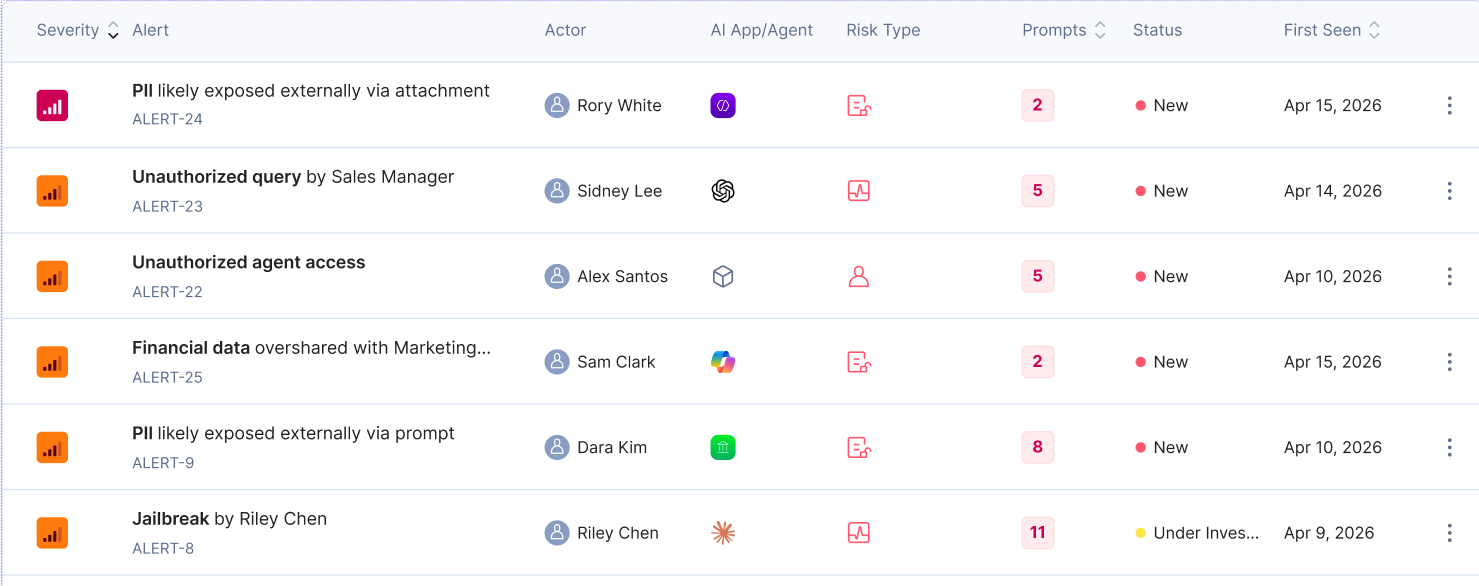
It is easy to conflate how an AI agent systemically interacts with your data versus how a user manually uploads a file, but these represent two distinct security realities. When an AI agent connects to your systems via an API, it interacts as a managed service: it respects existing permissions, honors sensitivity labels, and leaves a clear audit trail.
However, when an employee manually drags and drops a file into an AI chat, they are effectively stripping away all that organizational context.
Here’s how:
Production Data from Opsin Labs
In a 90-day production sample across sanctioned enterprise AI environments, Opsin observed more than 82,000 sensitive uploaded-file events from more than 7,000 AI users.
That is the important signal: file upload is already part of how employees are using approved AI tools at work. These are not abstract prompts. Users are bringing real, sensitive enterprise files into AI workflows so the model can summarize, compare, analyze, rewrite, or reason over internal business context.
The average uploader submitted more than 11 files during the period. On days when employees uploaded files, they uploaded nearly 4 files per active uploader per day. That suggests file upload is not just one-off experimentation. For many employees, it is becoming part of the normal workflow of using AI to get work done.
This matters because once a file enters an AI workflow, it is no longer just a document sitting in Drive, SharePoint, Slack, or a ticketing system. It becomes a model context. It can shape the prompt, the answer, the summary, the recommendation, and any follow-up action.
The risk becomes sharper when uploaded files are used alongside web search. An employee might upload a revenue forecast, customer-risk spreadsheet, board memo, contract, or incident report, then ask the AI assistant to compare it against public information or current market conditions. In that moment, a sensitive internal context can start influencing external searches and outputs.
That is the sanctioned AI blind spot. The tool is approved. The user is authenticated. The workflow may look productive and legitimate. But sensitive enterprise data is now moving through an AI system in a way security teams may not be able to fully observe, trace, or govern.
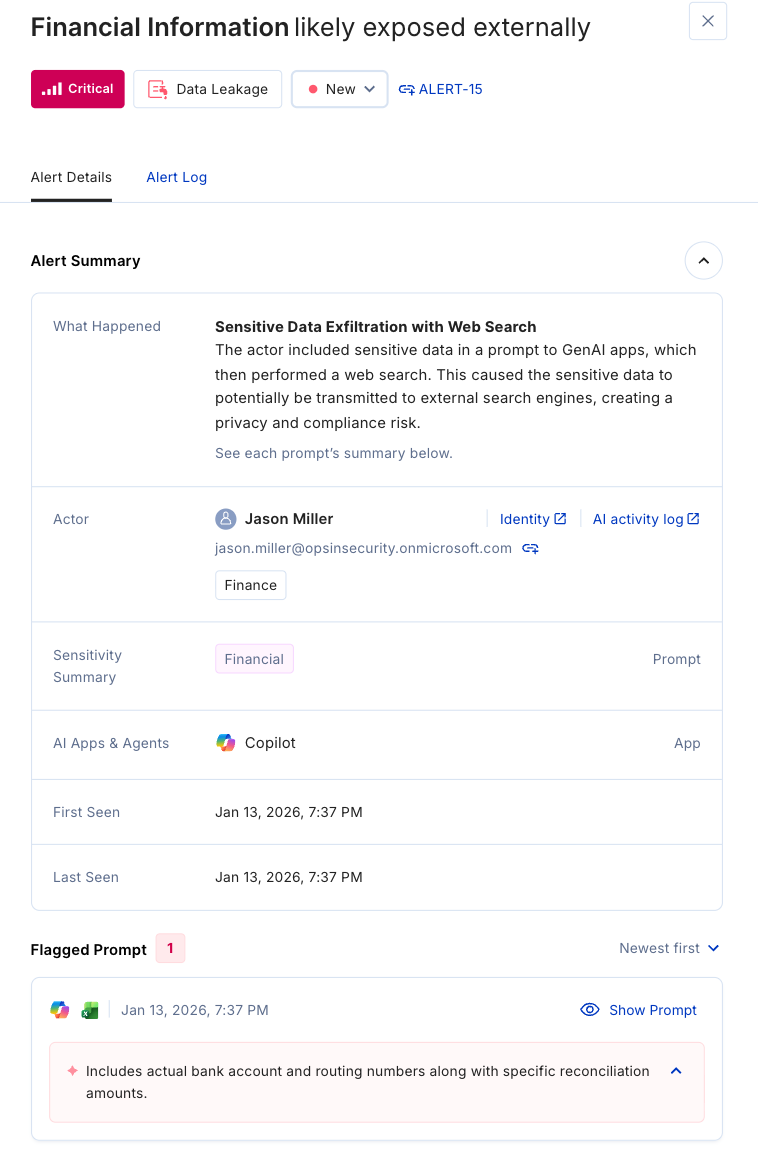
Consider a finance employee preparing for a board meeting. They use the company’s approved AI agent, log in with SSO, and upload a draft board memo, a renewal-risk spreadsheet, and a preliminary revenue forecast. Then they ask the agent to summarize the risks and compare them with current market conditions. The agent, without explicit approval from that employee, is using a web search for that comparison. No policy was intentionally broken, no banned tool was used, and no one pasted data into an AI personal account.
But the risk changed immediately.
The AI agent now has sensitive board-level context. It knows which strategic accounts are at risk, where the forecast is soft, which product launch slipped, and how leadership is framing the quarter. When web search enters the workflow, that context may no longer stay inside the approved AI environment. To search the web, the AI system has to turn the user’s request into external queries, retrieve public pages, and interact with infrastructure outside the company’s control. Sensitive details can leak through search terms, URLs, page requests, browsing sessions, or downstream outputs.
For example, a prompt about an unannounced deal can become a search query that includes the target company, transaction size, or competitive context. A question about a customer-risk spreadsheet can send route names, account names, or business constraints into external web interactions. And if the AI agent reads an untrusted webpage, that page can contain hidden instructions designed to manipulate the agent into exposing information from the conversation.
Not only can web search give AI more information, it also creates an outbound path for internal business context. Security teams are often left without answers to the questions that matter most: what data was used, whether web search was involved, what output was created, and whether the workflow matched the employee’s business needs.
Web search is a core sanctioned AI risk, and it does not require a malicious employee or an unapproved tool to create real exposure.
DLP may know where the file lived. IAM may know the employee had access. CASB may know the AI tool was approved. None of that tells security whether the data belonged in that AI workflow, whether the action matched the user’s intent, or whether an agent used the information in a risky way. “Approved tool” is the wrong finish line.
The better question is: approved to do what, with which data, under whose ownership, and with what guardrails?
Security teams need visibility into sanctioned AI usage, not just shadow AI detection. That means understanding the sensitivity of uploaded files, connected data sources, retrieval behavior, web-search behavior, user intent, agent intent, agent actions, and sensitive data exposure in one coherent view.
The goal is not to block AI adoption. Blocking approved AI tools pushes employees back into unsanctioned workflows and slows innovation. The goal is to let the business use AI with enough context for security teams to govern it responsibly.
A workable sanctioned AI governance model starts with:
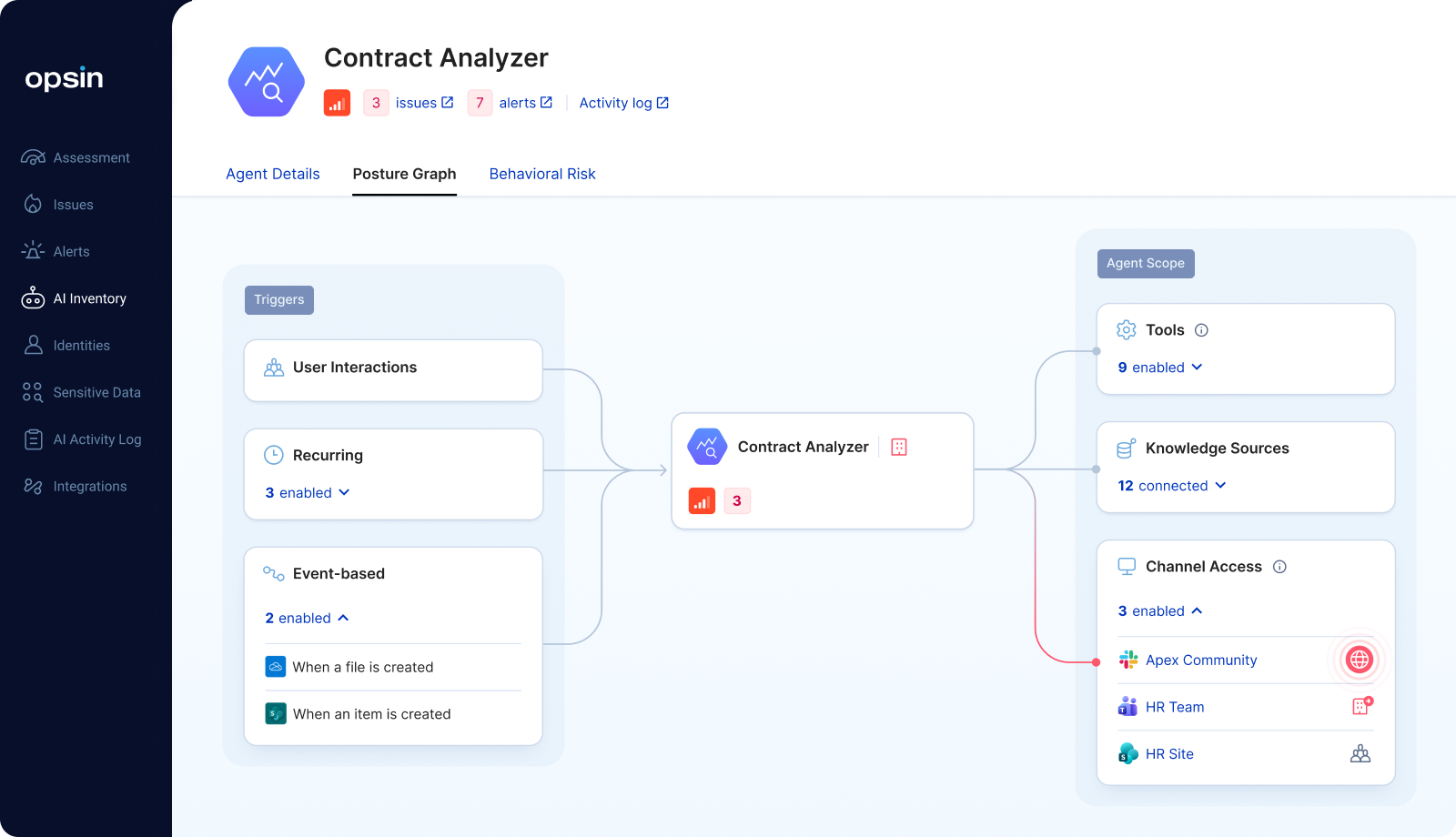
Shadow AI is still a real problem. But the next generation of AI incidents may not start with an employee using an unapproved tool. They may start with an approved AI assistant, an uploaded file, a web search, and a workflow no one was watching. That is the oversight gap enterprises need to close.

Sanctioned AI risk refers to data exposure and governance gaps that arise from approved enterprise AI tools — such as Microsoft Copilot, ChatGPT Enterprise, or Google Gemini — when employees use them to interact with sensitive data in ways that security teams cannot fully observe, trace, or govern. Unlike shadow AI, these interactions occur within approved tooling and may not trigger existing DLP or CASB alerts.
When an employee manually uploads a file, they inadvertently strip away the original organizational context and sensitivity labels that protected the document at its source. Once this data enters the AI's model context, it is no longer governed by traditional DLP, IAM, or access control policies. This creates a hidden exposure path through which sensitive information can be used to generate summaries, recommendations, or even external web searches without leaving an audit trail or triggering standard security alerts.
DLP identifies sensitive content in transit or at rest. CASB monitors whether an approved tool is being used. IAM governs who can access a system. None of these tools was designed to evaluate whether a specific AI interaction was appropriate given the sensitivity of the data involved, the user's role, and the nature of the workflow. They can confirm a tool was used and a file was accessible; they cannot determine whether the data should have been part of that AI conversation.
Effective sanctioned AI governance starts with visibility into what AI tools and agents are deployed, what data they can access, and what data they actually use in production workflows. From there, security teams need to assess whether usage patterns align with business intent, prioritize exposures by sensitivity and risk, and remediate at the root cause — fixing permissions, data access configurations, and workflow controls — rather than triaging individual alerts.
When an employee uses an AI assistant's web search capability alongside uploaded files or sensitive context, internal business information can start shaping external queries, summaries, and recommendations. The AI is not exfiltrating data in the traditional sense, but it is using internal context to interact with external information sources in ways that security teams typically cannot observe through standard logging or DLP controls.
Shadow AI refers to the use of artificial intelligence tools, chatbots, or AI-embedded features by employees without the knowledge, approval, or oversight of their company’s IT or security departments.
While shadow AI matters, the bigger blind spot in enterprise security is that sensitive data is moving through the AI tools your company already approved.
For the last year, most enterprise AI security conversations have centered on shadow AI. Employees using unapproved AI tools can create real privacy, security, and compliance risks. Security teams need to know when people are pasting customer data, contracts, source code, or internal strategy into tools the company does not govern. But shadow AI alone misses the next looming problem.
The most critical AI risk may not come from the tools your company banned, but the ones your company approved.
A sanctioned, enterprise AI tool does not automatically mean sanctioned data use. An employee can use an approved enterprise AI assistant, log in with SSO, follow company policy, and still create a serious exposure path by uploading a sensitive file, connecting the wrong data source, or asking the model to reason across sensitive information in a way no one intended. Add a web-connected search tool to the mix, and your company’s most sensitive data can silently slip out the back door.
This is a growing blind spot in enterprise environments.
The risk is not simply “someone used sensitive information with AI.” The risk is that sensitive internal data is being pulled into AI workflows, leaving the company’s parameters without leaving any trail. Security teams cannot easily answer five basic questions:
It is easy to conflate how an AI agent systemically interacts with your data versus how a user manually uploads a file, but these represent two distinct security realities. When an AI agent connects to your systems via an API, it interacts as a managed service: it respects existing permissions, honors sensitivity labels, and leaves a clear audit trail.
However, when an employee manually drags and drops a file into an AI chat, they are effectively stripping away all that organizational context.
Here’s how:
Production Data from Opsin Labs
In a 90-day production sample across sanctioned enterprise AI environments, Opsin observed more than 82,000 sensitive uploaded-file events from more than 7,000 AI users.
That is the important signal: file upload is already part of how employees are using approved AI tools at work. These are not abstract prompts. Users are bringing real, sensitive enterprise files into AI workflows so the model can summarize, compare, analyze, rewrite, or reason over internal business context.
The average uploader submitted more than 11 files during the period. On days when employees uploaded files, they uploaded nearly 4 files per active uploader per day. That suggests file upload is not just one-off experimentation. For many employees, it is becoming part of the normal workflow of using AI to get work done.
This matters because once a file enters an AI workflow, it is no longer just a document sitting in Drive, SharePoint, Slack, or a ticketing system. It becomes a model context. It can shape the prompt, the answer, the summary, the recommendation, and any follow-up action.
The risk becomes sharper when uploaded files are used alongside web search. An employee might upload a revenue forecast, customer-risk spreadsheet, board memo, contract, or incident report, then ask the AI assistant to compare it against public information or current market conditions. In that moment, a sensitive internal context can start influencing external searches and outputs.
That is the sanctioned AI blind spot. The tool is approved. The user is authenticated. The workflow may look productive and legitimate. But sensitive enterprise data is now moving through an AI system in a way security teams may not be able to fully observe, trace, or govern.
Consider a finance employee preparing for a board meeting. They use the company’s approved AI agent, log in with SSO, and upload a draft board memo, a renewal-risk spreadsheet, and a preliminary revenue forecast. Then they ask the agent to summarize the risks and compare them with current market conditions. The agent, without explicit approval from that employee, is using a web search for that comparison. No policy was intentionally broken, no banned tool was used, and no one pasted data into an AI personal account.
But the risk changed immediately.
The AI agent now has sensitive board-level context. It knows which strategic accounts are at risk, where the forecast is soft, which product launch slipped, and how leadership is framing the quarter. When web search enters the workflow, that context may no longer stay inside the approved AI environment. To search the web, the AI system has to turn the user’s request into external queries, retrieve public pages, and interact with infrastructure outside the company’s control. Sensitive details can leak through search terms, URLs, page requests, browsing sessions, or downstream outputs.
For example, a prompt about an unannounced deal can become a search query that includes the target company, transaction size, or competitive context. A question about a customer-risk spreadsheet can send route names, account names, or business constraints into external web interactions. And if the AI agent reads an untrusted webpage, that page can contain hidden instructions designed to manipulate the agent into exposing information from the conversation.
Not only can web search give AI more information, it also creates an outbound path for internal business context. Security teams are often left without answers to the questions that matter most: what data was used, whether web search was involved, what output was created, and whether the workflow matched the employee’s business needs.
Web search is a core sanctioned AI risk, and it does not require a malicious employee or an unapproved tool to create real exposure.
DLP may know where the file lived. IAM may know the employee had access. CASB may know the AI tool was approved. None of that tells security whether the data belonged in that AI workflow, whether the action matched the user’s intent, or whether an agent used the information in a risky way. “Approved tool” is the wrong finish line.
The better question is: approved to do what, with which data, under whose ownership, and with what guardrails?
Security teams need visibility into sanctioned AI usage, not just shadow AI detection. That means understanding the sensitivity of uploaded files, connected data sources, retrieval behavior, web-search behavior, user intent, agent intent, agent actions, and sensitive data exposure in one coherent view.
The goal is not to block AI adoption. Blocking approved AI tools pushes employees back into unsanctioned workflows and slows innovation. The goal is to let the business use AI with enough context for security teams to govern it responsibly.
A workable sanctioned AI governance model starts with:
Shadow AI is still a real problem. But the next generation of AI incidents may not start with an employee using an unapproved tool. They may start with an approved AI assistant, an uploaded file, a web search, and a workflow no one was watching. That is the oversight gap enterprises need to close.