Google Gemini Security: Threats, Defenses & Opportunities

GenAI Security
Blog

Key Takeaways

Limit what Gemini can access: Clean up oversharing in Drive, fix permission creep, and restrict Gemini access to only approved users and groups to reduce unintended data retrieval.
Set clear prompt-use rules: Train employees on what they can and can’t paste into prompts, and use DLP and classification controls to block sensitive data before it reaches Gemini.
Control Gems and integrations: Allow only managed Gems with scoped access and review all third-party or automation features so AI actions stay within approved boundaries.
Monitor usage in real time: Feed Gemini activity into existing monitoring tools to catch unsafe prompts, unusual retrieval patterns, or compromised accounts early.

What Is Google Gemini Security?

Google Gemini security refers to the combination of Google’s built-in protections and your own enterprise controls that keep data, users, and workflows safe when people use Gemini across web, mobile, and Google Workspace.

Google provides foundational safeguards such as strict data-use commitments, access-controlled retrieval from Workspace apps, and admin-level privacy settings that govern how user activity is stored and reviewed. 

Enterprise accounts benefit from additional assurances: prompts and responses are not used to train the models, and Gemini only references content users are already permitted to access based on existing Workspace permissions.

Still, secure Gemini adoption requires more than Google’s defaults. Organizations must apply their own governance to prevent oversharing, restrict risky prompt activity, and ensure only approved users can run AI-driven actions. 

This often involves tightening access controls, applying data protection rules, monitoring usage patterns, and configuring Gemini’s Workspace integrations so that retrieval and automation operate within defined boundaries.

Key Security Risks and Attack Vectors

Even with Google’s built-in safeguards, Gemini introduces new pathways through which sensitive business data can be exposed or misused. These risks stem not from the model’s internal mechanics, but from how employees interact with Gemini, how prompts shape its behavior, and how connected systems expand its access. The table below summarizes the core risk categories enterprises must account for when securing end-user Gemini usage:

Risk Description
Data Leakage and Exposure Sensitive data may be pasted into prompts, or Gemini may surface files users have access to due to permission creep and oversharing in Drive, leading to unintended exposure.
Prompt Injection and Manipulative Queries Maliciously crafted prompts can override instructions, influence retrieval, or cause Gemini to reveal sensitive content or perform unintended Workspace actions.
Unauthorized Access and Account Compromise Compromised or unmanaged accounts give attackers access to Gemini and all the Drive content the accounts can access, amplifying risks tied to broad or outdated permissions.
Third-Party Integrations and Workspace Actions Risks Misconfigured add-ons, overprivileged APIs, or Gemini-powered Workspace Actions can unintentionally read, modify, or distribute sensitive data across Google Workspace.
Shadow AI and Unapproved Gemini Usage Employees may use Gemini through personal accounts or unmanaged devices, bypassing enterprise controls and exposing regulated or internal data in environments without oversight.
Gems and Unapproved Custom Assistance Usage Employees may discover, use, create, or distribute Gems to unauthorized individuals- without IT oversight. These Gems, which are custom Gemini assistants with personalized instructions, uploaded files, or integrated resources, can introduce unknown data-handling behaviors, undocumented configurations, and inconsistent security controls, leading to potential data exposure, IP leakage, and compliance violations outside the enterprise’s governed Google Workspace environment.

The Role of Data Context in Gemini Security

Gemini’s behavior is influenced by the data it can reference inside Google Workspace. Because it can draw on any files a user is permitted to access, the structure and governance of the underlying data environment can impact security.

The Problem of Oversharing and Permission Creep

Long-standing Google Drive sharing practices, including broadly shared team folders, inherited permissions, and old link share settings, expand the data surface available to Gemini. Even if users never open the files exposed through these permissions, Gemini may still treat them as contextual inputs. This turns oversharing into a governance and visibility challenge.

Identity-Aware Access vs. API Monitoring

Identity controls determine what Gemini can reference, but logs alone don’t show how Gemini uses that access. Since Gemini synthesizes content rather than performing discrete file actions, traditional API monitoring can miss where sensitive context appears in outputs. Effective security requires pairing identity controls with context-aware oversight.

Identifying and Remediating At-Risk Data

The most reliable way to reduce Gemini-related exposure is to shrink the accessible data surface. Organizations need to identify broadly shared or sensitive content, correct misaligned permissions, and continuously monitor for new exposures. Tightening the data environment directly limits what Gemini can surface in responses.

Security Features of Google Gemini

Google provides several built-in security and privacy controls that determine how Gemini handles data across Workspace. These features form the baseline organizations rely on before adding their own governance layers.

1. Data Privacy and Sensitive Data Controls: Gemini follows Google’s enterprise data-use commitments. Prompts and responses from paid Workspace accounts aren’t used to train models, and admins can control whether Gemini can access certain Workspace apps or user data. Privacy settings also allow organizations to manage stored activity and restrict the flow of sensitive information.

2. Identity & Access Management: Gemini respects existing Workspace identity controls, including OAuth permissions, group-based access, and zero-trust policies enforced in Google Admin. Access to Gemini features can be restricted by user, group, or organizational unit, ensuring only approved users can run AI-driven actions.

3. Encryption Standards (At Rest and In Transit): All data processed by Gemini inherits Google Cloud’s encryption controls: TLS for data in transit and AES-256 for data at rest. These protections apply to prompts, responses, and any Workspace files Gemini references during retrieval.

4. Data Residency & Regional Policy Controls: Workspace admins can apply data region policies for supported content types, helping organizations meet geographic storage requirements. Gemini adheres to the same residency controls applied to the underlying Workspace data it may reference.

5. Logging, Audit Trails & AI Transparency: Gemini activity integrates with Workspace audit logs, allowing security teams to review usage events, administrative actions, and configuration changes. While output-level logging is generally limited to administrative events, organizations still gain visibility into feature access and policy settings at the admin level.

6. Regulatory Compliance & Certifications: Gemini for Google Workspace inherits Google’s core compliance frameworks, such as GDPR, HIPAA (where applicable), SOC 2, and ISO/IEC 27001, providing baseline assurances for data protection, privacy, and operational controls.

7. Alignment with AI Governance Standards: Google’s AI principles and documentation align with emerging frameworks such as ISO/IEC 42001 and the NIST AI Risk Management Framework. These standards emphasize transparency, accountability, and documented safeguards for responsible AI use.

Best Practices for Secure Gemini Deployments

Secure Gemini use requires a combination of access control, data protection, usage governance, and continuous monitoring. These practices help organizations prevent oversharing, reduce unnecessary exposure, and ensure Gemini operates within approved boundaries.

Best Practice Implementation Notes Outcome
Apply Least Privilege and Access Segmentation Align Gemini access with roles, groups, and organizational units. Restrict use to teams with legitimate business needs. Reduces unnecessary access and lowers the chance of unintended data retrieval or misuse.
Enforce Prompt Governance and Usage Policies Provide clear rules on what information users may include in prompts, especially for sensitive or regulated data. Minimizes accidental disclosure and improves consistency in safe AI usage.
Integrate DLP and Data Classification Controls Apply sensitivity labels and configure DLP rules to block or warn on risky prompts. Prevents sensitive or regulated data from being submitted to or surfaced by Gemini.
Deploy Gems with Controlled Data Access For enterprise deployments, use managed Gems that include predefined instructions, scoped retrieval permissions, and restricted data sources. Configured correctly, Gems let organizations define acceptable behaviors, limit search or automation capabilities, and enforce clear boundaries around what the assistant can access or generate.
Conduct Red-Team Testing and Adversarial Reviews Run scenarios simulating prompt injection, unauthorized retrieval, and automation misuse prior to broad rollout. Identifies configuration gaps and strengthens defenses against AI-specific threats.

Security Automation, Monitoring & Risk Validation in Google Gemini Security

As Gemini becomes embedded in daily workflows, relying on manual oversight is not sustainable. In order to ensure safe LLM use at scale, it’s crucial to implement automated controls that detect misuse, surface risky behavior, and validate that Gemini operates within approved boundaries.

Automated Threat Detection in Gemini Pipelines

Gemini activity should feed into automated checking mechanisms that identify unsafe prompts, unusual retrieval patterns, or attempts to access sensitive data. Automated threat detection ensures that risky interactions, whether accidental or intentional, are flagged before sensitive content is exposed.

Real-Time Anomaly Detection and Response

To identify deviations in how employees use Gemini, monitoring needs to extend beyond static logs. Anomalous patterns such as repeated failed retrievals, unusual prompt topics, or sudden interaction spikes can indicate potential misuse. Real-time alerting and response help security teams intervene before these anomalies lead to data exposure or policy violations.

Integration with SIEM, SOAR, and DLP Tools

Organizations can correlate Gemini-related events with broader security signals by connecting them to existing security infrastructure, such as SIEM, SOAR, and DLP tools. SIEMs support centralized monitoring, SOARs automate remediation workflows, and DLP systems help enforce rules around sensitive data. Integrations with these tools create a more complete view of AI-related risks across the enterprise.

Incident Response and Recovery for Gemini Breaches

Even with strong governance, Gemini-related security breaches can occur through misconfigurations, compromised accounts, or high-risk prompt activity. A defined response process helps organizations limit impact and restore normal operations quickly.

  • Detect and Triage Gemini-Related Incidents: Teams should be able to distinguish Gemini-driven activity from routine Workspace events using alerts, usage analytics, and identity signals. Incidents are typically triaged based on data sensitivity, scope, and potential business impact.
  • Containment Playbooks and Response Scenarios: Prepare incident response playbooks to help teams take appropriate action immediately. These actions, which may include pausing high-risk Gemini features, adjusting permissions, or disabling access for affected users, limit further exposure while a deeper investigation begins.
  • Forensic Analysis and Root Cause Investigation: Conduct forensic reviews that involve examining prompt history, Workspace activity, and configuration changes to understand how Gemini contributed to the event. These root cause findings help teams implement lasting remediation instead of temporary fixes.
  • Reporting and Regulatory Communication: If sensitive data is involved, organizations may need to follow internal escalation paths and external notification requirements. Clear documentation of the timeline, affected data, and remediation actions can simplify these processes, particularly when regulatory reporting is required.

Google Gemini vs. Other AI Platforms: Security Comparison

Security expectations vary across AI platforms, especially in how they handle data, integrate with enterprise systems, and expose information. The table below highlights the core differences organizations consider when comparing Gemini to ChatGPT, Claude, and Perplexity.

Security Category Gemini ChatGPT Enterprise Claude for Enterprise Perplexity Enterprise
Data Access Model Inherits Google Workspace permissions. Retrieval constrained to user-authorized data. No native permission inheritance. Relies on uploads, connectors, or API integrations. Similar to ChatGPT in the sense that access is based on user inputs and integrations, not native workspace permissions. Same as ChatGPT and Claude. Exposure is tied to user inputs and RAG sources.
Enterprise Controls & Governance Managed through Google Admin IAM, OU policies, and Workspace restrictions. Centralized admin controls, SSO, and workspace policies. SSO, role-based controls, and admin policy options. Provides admin-level policies and SSO.
Integration Model Deep, native integration with Gmail, Drive, Docs, Sheets, and Workspace Actions. Integrates through file upload, API, and partner connectors. Integrates via API and approved connectors; limited native workspace integration. Primarily integrates through API and retrieval pipelines.
Primary Risk Surface Oversharing in Drive and permission drift expanding contextual retrieval. Risks tied to sensitive data placed directly into prompts or uploaded files. Similar to ChatGPT. Exposure tied to user inputs and third-party connectors. Risks arise from query content, retrieval sources, and RAG integrations.

How Opsin Strengthens Google Gemini Security for Enterprises

Gemini’s effectiveness and safety depend heavily on the quality of the underlying Workspace environment and the ability to monitor data exposure as it evolves. Opsin provides the visibility, continuous assessment, and AI-specific controls needed to secure Gemini usage across real-world enterprise environments.

  • Enterprise AI Risk Assessment and Continuous Posture Management: Right from the start, Opsin evaluates data exposure in Google Drive, Gmail, and Google Chat to identify where Gemini could unintentionally retrieve sensitive content. This assessment continues post-deployment, giving security teams ongoing visibility into how Workspace posture changes over time.
  • Secure Configuration and Policy Implementation: Opsin surfaces misaligned access patterns and high-risk sharing configurations so organizations can enforce least-privilege policies before and during Gemini use. This ensures Workspace permissions, sharing settings, and data boundaries remain aligned with the organization’s security and compliance expectations.
  • Automated Detection and Threat Containment: Opsin monitors for unsafe AI interactions, sensitive data exposure, and anomalous Workspace behaviors that Gemini may trigger or reference. Automated detection and clear visibility into the underlying exposure help teams contain risks quickly, even when traditional Workspace logging does not reveal full context.
  • AI-Powered Incident Response and Real-Time Remediation: When Gemini-related risks emerge, such as oversharing that broadens the retrieval scope, Opsin provides real-time visibility into the underlying exposure. This enables security teams to take targeted action immediately, reducing the window in which sensitive data is exposed.
  • Compliance Reporting and Continuous Audit Readiness: Opsin’s risk assessments and posture insights give organizations the data needed to support internal and external compliance reporting. By documenting exposure levels, sharing risks, and remediation activity, Opsin helps maintain ongoing audit readiness.
  • Discovery and Monitoring of Gems: Opsin continuously discovers Gems across the organization and evaluates their instructions, data connections, and usage patterns. By analyzing prompt behavior and data flows, it identifies Gems operating outside approved governance, including those shared organization-wide or accessed by individuals without a need-to-know. This allows security teams to quickly contain risks before they lead to exposure.

Conclusion

Securing Google Gemini isn’t simply a matter of enabling built-in protections. It requires understanding how AI interacts with real organizational data, how users shape its behavior through prompts, and how Workspace configurations influence what Gemini can access. 

As enterprises adopt Gemini across more workflows, the risks tied to oversharing, permission drift, and AI-driven automation demand stronger governance than traditional Workspace tools provide. By combining Google’s native safeguards with continuous monitoring, least-privilege enforcement, and automated detection, organizations can establish a reliable foundation for safe AI use. 

Solutions like Opsin further extend that foundation by revealing hidden exposures, validating Workspace posture, and providing the real-time visibility and remediation capabilities needed to manage AI-specific risks. With the right controls in place, enterprises can unlock Gemini’s value while maintaining the security, compliance, and operational integrity required at scale.

Table of Contents

LinkedIn Bio >

FAQ

What’s the simplest way to teach employees safer prompting habits?

Give users clear rules on what they can paste and let DLP enforce the rest.

• Provide examples of “never paste” items (tickets, PII, contracts, credentials).
• Use lightweight prompt-linting guidelines to reduce accidental oversharing.
• Pair training with DLP rules that block sensitive data before Gemini receives it.

Opsin’s prompt-risk examples for Gemini provide ready-to-use training material: Assessing Gemini Oversharing Risk.

How can advanced teams detect Gemini prompt injection attempts?

Track prompt patterns and correlate retrieval anomalies with identity events.

• Flag repeated attempts to coerce Gemini into revealing broader Drive content.
• Detect prompts referencing “hidden,” “restricted,” or “summaries of everything.”
• Correlate Workspace spikes with authentication and OAuth activity for context.

For deeper adversarial testing guidance, see Opsin’s research on AI threat models: AI Security Blind Spots.

How should enterprises control Gems and custom assistants at scale?

Use managed Gems with restricted data access and clear behavioral boundaries.

• Require Gems to use predefined instructions and scoped retrieval sources.
• Block unmanaged or personal-account Gems from accessing corporate assets.
• Continuously audit Gem metadata, integrations, and retrieval scopes.

Opsin provides continuous Gem discovery and governance: Gemini Use Case.

How does Opsin help secure overshared Drive data before Gemini can access it?

Opsin continuously maps and scores exposure to shrink Gemini’s retrieval surface.

• Highlight overly broad folder inheritance and aged link-shares.
• Surface high-risk content accessible to large groups or external accounts.
• Recommend least-privilege corrections aligned to Workspace IAM rules.

Learn how Opsin detects and remediates oversharing at scale: Ongoing Oversharing Protection.

How does Opsin automate detection and response for unsafe Gemini usage?

Opsin feeds Gemini activity into AI-aware detection pipelines that catch risks traditional logs miss.

• Identify unsafe prompts, anomalous retrieval patterns, and emergent exposure paths.
• Trigger automated containment actions when Gemini interacts with sensitive data.
• Provide rapid forensic context such as prompt history and underlying Drive risks.

See Opsin’s AI-specific detection platform: AI Detection & Response.

About the Author
James Pham
James Pham is the Co-Founder and CEO of Opsin, with a background in machine learning, data security, and product development. He previously led ML-driven security products at Abnormal Security and holds an MBA from MIT, where he focused on data analytics and AI.
LinkedIn Bio >

Google Gemini Security: Threats, Defenses & Opportunities
What Is Google Gemini Security?

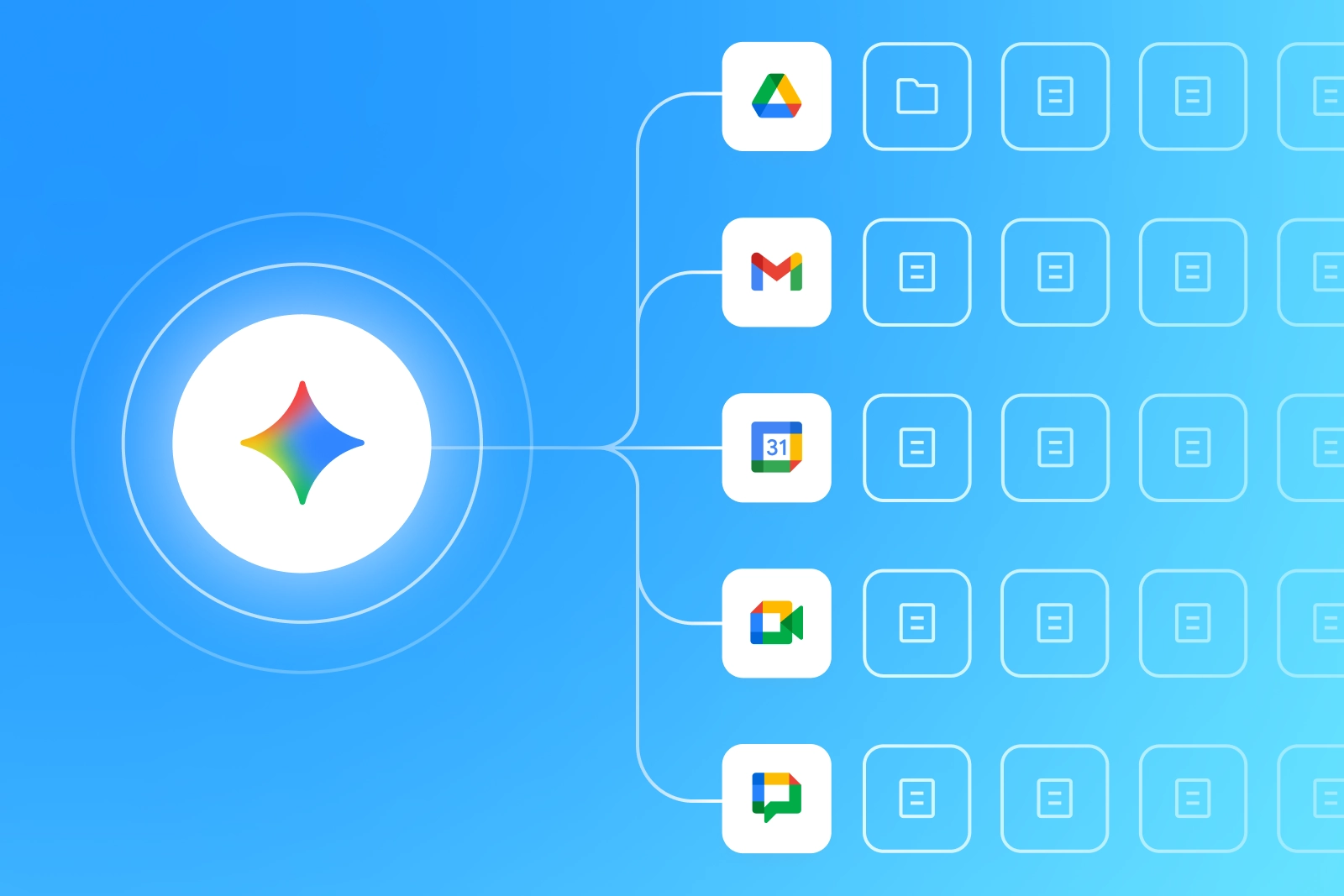
Google Gemini security refers to the combination of Google’s built-in protections and your own enterprise controls that keep data, users, and workflows safe when people use Gemini across web, mobile, and Google Workspace.

Google provides foundational safeguards such as strict data-use commitments, access-controlled retrieval from Workspace apps, and admin-level privacy settings that govern how user activity is stored and reviewed. 

Enterprise accounts benefit from additional assurances: prompts and responses are not used to train the models, and Gemini only references content users are already permitted to access based on existing Workspace permissions.

Still, secure Gemini adoption requires more than Google’s defaults. Organizations must apply their own governance to prevent oversharing, restrict risky prompt activity, and ensure only approved users can run AI-driven actions. 

This often involves tightening access controls, applying data protection rules, monitoring usage patterns, and configuring Gemini’s Workspace integrations so that retrieval and automation operate within defined boundaries.

Key Security Risks and Attack Vectors

Even with Google’s built-in safeguards, Gemini introduces new pathways through which sensitive business data can be exposed or misused. These risks stem not from the model’s internal mechanics, but from how employees interact with Gemini, how prompts shape its behavior, and how connected systems expand its access. The table below summarizes the core risk categories enterprises must account for when securing end-user Gemini usage:

Risk Description
Data Leakage and Exposure Sensitive data may be pasted into prompts, or Gemini may surface files users have access to due to permission creep and oversharing in Drive, leading to unintended exposure.
Prompt Injection and Manipulative Queries Maliciously crafted prompts can override instructions, influence retrieval, or cause Gemini to reveal sensitive content or perform unintended Workspace actions.
Unauthorized Access and Account Compromise Compromised or unmanaged accounts give attackers access to Gemini and all the Drive content the accounts can access, amplifying risks tied to broad or outdated permissions.
Third-Party Integrations and Workspace Actions Risks Misconfigured add-ons, overprivileged APIs, or Gemini-powered Workspace Actions can unintentionally read, modify, or distribute sensitive data across Google Workspace.
Shadow AI and Unapproved Gemini Usage Employees may use Gemini through personal accounts or unmanaged devices, bypassing enterprise controls and exposing regulated or internal data in environments without oversight.
Gems and Unapproved Custom Assistance Usage Employees may discover, use, create, or distribute Gems to unauthorized individuals- without IT oversight. These Gems, which are custom Gemini assistants with personalized instructions, uploaded files, or integrated resources, can introduce unknown data-handling behaviors, undocumented configurations, and inconsistent security controls, leading to potential data exposure, IP leakage, and compliance violations outside the enterprise’s governed Google Workspace environment.

The Role of Data Context in Gemini Security

Gemini’s behavior is influenced by the data it can reference inside Google Workspace. Because it can draw on any files a user is permitted to access, the structure and governance of the underlying data environment can impact security.

The Problem of Oversharing and Permission Creep

Long-standing Google Drive sharing practices, including broadly shared team folders, inherited permissions, and old link share settings, expand the data surface available to Gemini. Even if users never open the files exposed through these permissions, Gemini may still treat them as contextual inputs. This turns oversharing into a governance and visibility challenge.

Identity-Aware Access vs. API Monitoring

Identity controls determine what Gemini can reference, but logs alone don’t show how Gemini uses that access. Since Gemini synthesizes content rather than performing discrete file actions, traditional API monitoring can miss where sensitive context appears in outputs. Effective security requires pairing identity controls with context-aware oversight.

Identifying and Remediating At-Risk Data

The most reliable way to reduce Gemini-related exposure is to shrink the accessible data surface. Organizations need to identify broadly shared or sensitive content, correct misaligned permissions, and continuously monitor for new exposures. Tightening the data environment directly limits what Gemini can surface in responses.

Security Features of Google Gemini

Google provides several built-in security and privacy controls that determine how Gemini handles data across Workspace. These features form the baseline organizations rely on before adding their own governance layers.

1. Data Privacy and Sensitive Data Controls: Gemini follows Google’s enterprise data-use commitments. Prompts and responses from paid Workspace accounts aren’t used to train models, and admins can control whether Gemini can access certain Workspace apps or user data. Privacy settings also allow organizations to manage stored activity and restrict the flow of sensitive information.

2. Identity & Access Management: Gemini respects existing Workspace identity controls, including OAuth permissions, group-based access, and zero-trust policies enforced in Google Admin. Access to Gemini features can be restricted by user, group, or organizational unit, ensuring only approved users can run AI-driven actions.

3. Encryption Standards (At Rest and In Transit): All data processed by Gemini inherits Google Cloud’s encryption controls: TLS for data in transit and AES-256 for data at rest. These protections apply to prompts, responses, and any Workspace files Gemini references during retrieval.

4. Data Residency & Regional Policy Controls: Workspace admins can apply data region policies for supported content types, helping organizations meet geographic storage requirements. Gemini adheres to the same residency controls applied to the underlying Workspace data it may reference.

5. Logging, Audit Trails & AI Transparency: Gemini activity integrates with Workspace audit logs, allowing security teams to review usage events, administrative actions, and configuration changes. While output-level logging is generally limited to administrative events, organizations still gain visibility into feature access and policy settings at the admin level.

6. Regulatory Compliance & Certifications: Gemini for Google Workspace inherits Google’s core compliance frameworks, such as GDPR, HIPAA (where applicable), SOC 2, and ISO/IEC 27001, providing baseline assurances for data protection, privacy, and operational controls.

7. Alignment with AI Governance Standards: Google’s AI principles and documentation align with emerging frameworks such as ISO/IEC 42001 and the NIST AI Risk Management Framework. These standards emphasize transparency, accountability, and documented safeguards for responsible AI use.

Best Practices for Secure Gemini Deployments

Secure Gemini use requires a combination of access control, data protection, usage governance, and continuous monitoring. These practices help organizations prevent oversharing, reduce unnecessary exposure, and ensure Gemini operates within approved boundaries.

Best Practice Implementation Notes Outcome
Apply Least Privilege and Access Segmentation Align Gemini access with roles, groups, and organizational units. Restrict use to teams with legitimate business needs. Reduces unnecessary access and lowers the chance of unintended data retrieval or misuse.
Enforce Prompt Governance and Usage Policies Provide clear rules on what information users may include in prompts, especially for sensitive or regulated data. Minimizes accidental disclosure and improves consistency in safe AI usage.
Integrate DLP and Data Classification Controls Apply sensitivity labels and configure DLP rules to block or warn on risky prompts. Prevents sensitive or regulated data from being submitted to or surfaced by Gemini.
Deploy Gems with Controlled Data Access For enterprise deployments, use managed Gems that include predefined instructions, scoped retrieval permissions, and restricted data sources. Configured correctly, Gems let organizations define acceptable behaviors, limit search or automation capabilities, and enforce clear boundaries around what the assistant can access or generate.
Conduct Red-Team Testing and Adversarial Reviews Run scenarios simulating prompt injection, unauthorized retrieval, and automation misuse prior to broad rollout. Identifies configuration gaps and strengthens defenses against AI-specific threats.

Security Automation, Monitoring & Risk Validation in Google Gemini Security

As Gemini becomes embedded in daily workflows, relying on manual oversight is not sustainable. In order to ensure safe LLM use at scale, it’s crucial to implement automated controls that detect misuse, surface risky behavior, and validate that Gemini operates within approved boundaries.

Automated Threat Detection in Gemini Pipelines

Gemini activity should feed into automated checking mechanisms that identify unsafe prompts, unusual retrieval patterns, or attempts to access sensitive data. Automated threat detection ensures that risky interactions, whether accidental or intentional, are flagged before sensitive content is exposed.

Real-Time Anomaly Detection and Response

To identify deviations in how employees use Gemini, monitoring needs to extend beyond static logs. Anomalous patterns such as repeated failed retrievals, unusual prompt topics, or sudden interaction spikes can indicate potential misuse. Real-time alerting and response help security teams intervene before these anomalies lead to data exposure or policy violations.

Integration with SIEM, SOAR, and DLP Tools

Organizations can correlate Gemini-related events with broader security signals by connecting them to existing security infrastructure, such as SIEM, SOAR, and DLP tools. SIEMs support centralized monitoring, SOARs automate remediation workflows, and DLP systems help enforce rules around sensitive data. Integrations with these tools create a more complete view of AI-related risks across the enterprise.

Incident Response and Recovery for Gemini Breaches

Even with strong governance, Gemini-related security breaches can occur through misconfigurations, compromised accounts, or high-risk prompt activity. A defined response process helps organizations limit impact and restore normal operations quickly.

  • Detect and Triage Gemini-Related Incidents: Teams should be able to distinguish Gemini-driven activity from routine Workspace events using alerts, usage analytics, and identity signals. Incidents are typically triaged based on data sensitivity, scope, and potential business impact.
  • Containment Playbooks and Response Scenarios: Prepare incident response playbooks to help teams take appropriate action immediately. These actions, which may include pausing high-risk Gemini features, adjusting permissions, or disabling access for affected users, limit further exposure while a deeper investigation begins.
  • Forensic Analysis and Root Cause Investigation: Conduct forensic reviews that involve examining prompt history, Workspace activity, and configuration changes to understand how Gemini contributed to the event. These root cause findings help teams implement lasting remediation instead of temporary fixes.
  • Reporting and Regulatory Communication: If sensitive data is involved, organizations may need to follow internal escalation paths and external notification requirements. Clear documentation of the timeline, affected data, and remediation actions can simplify these processes, particularly when regulatory reporting is required.

Google Gemini vs. Other AI Platforms: Security Comparison

Security expectations vary across AI platforms, especially in how they handle data, integrate with enterprise systems, and expose information. The table below highlights the core differences organizations consider when comparing Gemini to ChatGPT, Claude, and Perplexity.

Security Category Gemini ChatGPT Enterprise Claude for Enterprise Perplexity Enterprise
Data Access Model Inherits Google Workspace permissions. Retrieval constrained to user-authorized data. No native permission inheritance. Relies on uploads, connectors, or API integrations. Similar to ChatGPT in the sense that access is based on user inputs and integrations, not native workspace permissions. Same as ChatGPT and Claude. Exposure is tied to user inputs and RAG sources.
Enterprise Controls & Governance Managed through Google Admin IAM, OU policies, and Workspace restrictions. Centralized admin controls, SSO, and workspace policies. SSO, role-based controls, and admin policy options. Provides admin-level policies and SSO.
Integration Model Deep, native integration with Gmail, Drive, Docs, Sheets, and Workspace Actions. Integrates through file upload, API, and partner connectors. Integrates via API and approved connectors; limited native workspace integration. Primarily integrates through API and retrieval pipelines.
Primary Risk Surface Oversharing in Drive and permission drift expanding contextual retrieval. Risks tied to sensitive data placed directly into prompts or uploaded files. Similar to ChatGPT. Exposure tied to user inputs and third-party connectors. Risks arise from query content, retrieval sources, and RAG integrations.

How Opsin Strengthens Google Gemini Security for Enterprises

Gemini’s effectiveness and safety depend heavily on the quality of the underlying Workspace environment and the ability to monitor data exposure as it evolves. Opsin provides the visibility, continuous assessment, and AI-specific controls needed to secure Gemini usage across real-world enterprise environments.

  • Enterprise AI Risk Assessment and Continuous Posture Management: Right from the start, Opsin evaluates data exposure in Google Drive, Gmail, and Google Chat to identify where Gemini could unintentionally retrieve sensitive content. This assessment continues post-deployment, giving security teams ongoing visibility into how Workspace posture changes over time.
  • Secure Configuration and Policy Implementation: Opsin surfaces misaligned access patterns and high-risk sharing configurations so organizations can enforce least-privilege policies before and during Gemini use. This ensures Workspace permissions, sharing settings, and data boundaries remain aligned with the organization’s security and compliance expectations.
  • Automated Detection and Threat Containment: Opsin monitors for unsafe AI interactions, sensitive data exposure, and anomalous Workspace behaviors that Gemini may trigger or reference. Automated detection and clear visibility into the underlying exposure help teams contain risks quickly, even when traditional Workspace logging does not reveal full context.
  • AI-Powered Incident Response and Real-Time Remediation: When Gemini-related risks emerge, such as oversharing that broadens the retrieval scope, Opsin provides real-time visibility into the underlying exposure. This enables security teams to take targeted action immediately, reducing the window in which sensitive data is exposed.
  • Compliance Reporting and Continuous Audit Readiness: Opsin’s risk assessments and posture insights give organizations the data needed to support internal and external compliance reporting. By documenting exposure levels, sharing risks, and remediation activity, Opsin helps maintain ongoing audit readiness.
  • Discovery and Monitoring of Gems: Opsin continuously discovers Gems across the organization and evaluates their instructions, data connections, and usage patterns. By analyzing prompt behavior and data flows, it identifies Gems operating outside approved governance, including those shared organization-wide or accessed by individuals without a need-to-know. This allows security teams to quickly contain risks before they lead to exposure.

Conclusion

Securing Google Gemini isn’t simply a matter of enabling built-in protections. It requires understanding how AI interacts with real organizational data, how users shape its behavior through prompts, and how Workspace configurations influence what Gemini can access. 

As enterprises adopt Gemini across more workflows, the risks tied to oversharing, permission drift, and AI-driven automation demand stronger governance than traditional Workspace tools provide. By combining Google’s native safeguards with continuous monitoring, least-privilege enforcement, and automated detection, organizations can establish a reliable foundation for safe AI use. 

Solutions like Opsin further extend that foundation by revealing hidden exposures, validating Workspace posture, and providing the real-time visibility and remediation capabilities needed to manage AI-specific risks. With the right controls in place, enterprises can unlock Gemini’s value while maintaining the security, compliance, and operational integrity required at scale.

Get Your Copy
Your Name*
Job Title*
Business Email*
Your copy
is ready!
Please check for errors and try again.

Secure, govern, and scale AI

Inventory AI, secure data, and stop insider threats
Book a Demo →