AI Oversharing: Causes & How Enterprises Can Control It
Key Takeaways

What Is AI Oversharing?
AI oversharing mainly occurs when enterprise files, folders, records, and repositories become accessible to the wrong people, and AI systems surface, summarize, or redistribute that data across users, teams, and workflows.
This often includes collaboration surfaces that users assume are private (e.g., company-wide Slack, Teams, and other similar chat channels, “anyone-with-the-link” documents, or internal wiki pages) but that are actually broadly visible across the organization.
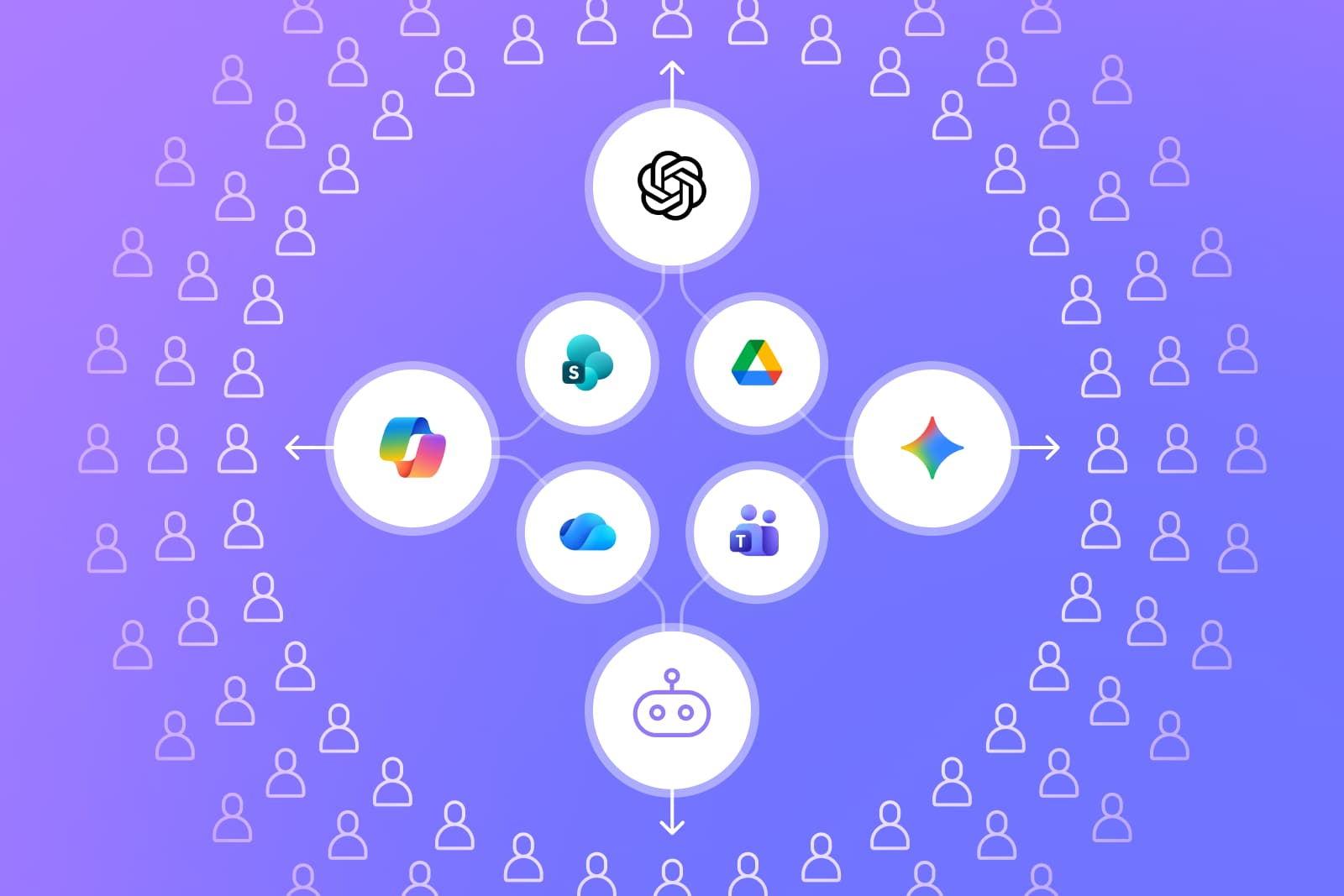
Moreover, in many organizations, excessive file sharing, legacy access, and inherited permissions already expose sensitive information more broadly than intended. When generative AI tools such as ChatGPT, Microsoft Copilot, or Google Gemini are connected to enterprise systems or operate within shared workspaces, they can make that existing exposure visible, searchable, and reusable at scale.
This can involve copying full emails or documents into prompts, uploading internal files, pasting customer or employee details, or allowing AI agents to access data sources beyond what the task requires.
Once data is broadly accessible inside enterprise systems, oversharing isn’t always obvious to the user. Chat-based AI interfaces encourage natural conversation, and when people want better results, they often “oversupply” context without realizing the data may include confidential, proprietary, or compliance-bound information.
This risk increases when employees create custom GPTs, Copilot Studio agents, or Gemini Gems. These autonomous components may request broad permissions or connect to internal systems in ways security teams cannot easily see, creating identity and agent sprawl across the enterprise.
Oversharing also occurs when AI tools with web browsing or search modes take portions of user prompts and transmit them to external search services, depending on configuration and vendor controls. While not publicly published, this transfer still moves data outside the enterprise boundary. In other words, AI oversharing reflects a human-driven exposure pattern made more likely by modern AI workflows, integrations, and user-created agents.
Why AI Oversharing Is Dangerous
AI oversharing is dangerous because it transforms existing data exposure, such as overshared files, broad folder access, and legacy permissions, into actively propagated risk. This turns everyday productivity tasks into pathways for unintended data exposure.
AI oversharing creates two distinct but related forms of exposure. Internal exposure occurs when sensitive data becomes visible to the wrong employees, teams, or AI agents due to excessive file sharing, broad workspace access, or inherited permissions. External exposure arises when AI tools use web browsing, connectors, or third-party integrations that transmit portions of prompts or retrieved data outside the enterprise boundary.
Unlike traditional data leaks, which are often tied to malware, phishing, or misconfigured systems, oversharing emerges from routine interactions with AI assistants. It can go unnoticed for long periods, making the downstream impact far more difficult to detect or contain.
One of the biggest risks is the uncontrolled reuse of sensitive information. Enterprise AI tools can reference prior context, summarize entire document sets, or interact with connected data sources.
If a public resource, such as an overshared Slack channel or Teams folder, contains regulated data (health records, financial information, or customer identifiers), that information may surface in future prompts, be accessible to teammates, or blend into ongoing workflows where it does not belong.
Agent-driven environments magnify this risk. Agents can autonomously process internal data based on the permissions granted by users, not security teams. When these agents inherit excessive access, they can unintentionally pull or process sensitive information, contributing to the growing problem of identity and agent sprawl.
AI oversharing also creates compliance exposure. Even in enterprise-grade tools, data shared in prompts may fall under regulatory constraints around retention, privacy, or cross-border handling. And when AI models with web browsing or search are used, portions of prompts may be transmitted externally, creating additional data-egress concerns.
What Employees Commonly Overshare With AI Tools
Even when employees understand the basics of safe AI use, certain categories of information are frequently involved in AI oversharing. The table below summarizes the most common forms of overshared data and why they pose a risk:
Root Causes and Common Patterns of AI Oversharing
AI oversharing rarely happens because of a single mistake. Instead, it emerges from a mix of overexposed files, broad access paths, and user behavior that allows AI tools to surface and reuse sensitive information. The factors below represent the most common drivers inside enterprise environments.
- Limited Awareness of How AI Tools Handle Enterprise Data: Many employees assume AI prompts stay internal or that tools only process what they explicitly provide. In reality, AI assistants can surface data from existing shared repositories, and may transmit portions of prompts externally if browsing is enabled.
- Overreliance on Chatbots, AI Assistants, and Embedded AI Features: As AI assistants become embedded across productivity suites, users increasingly default to “asking the AI first.” This often results in pasting full documents, sharing screenshots, or uploading sensitive files, all of which compound exposure when assistants already have access to broadly shared content.
- Missing or Ambiguous Internal AI Usage Policies: When acceptable-use rules are unclear or outdated, employees rely on personal judgment. This leads to inconsistent decisions about what’s safe to share with or enter into AI tools and increases the chance of oversharing, especially when permissions and access scopes are already too broad.
- Oversharing Through Chat-Based AI Interactions: Conversational interfaces encourage long-form explanations. As a result, users tend to describe background details or paste entire documents instead of excerpts.
- Oversharing via AI Search and Workspace Integrations: AI features integrated into email, documents, and shared drives often pull large amounts of contextual data by default. Users may not realize how much internal information these tools can access when preparing summaries or drafting content.
- AI Agents Accessing or Requesting Data Beyond User Permissions: Custom GPTs, Copilot Studio agents, and Gemini Gems may inherit broader access than the creator intended. When agents fetch or process data autonomously, oversharing can occur without any direct user action.
- Accidental Exposure Through File Uploads or Training Data Inputs: Screenshot, dataset, or document uploads often bring along unrelated sensitive content. In some cases, users also treat AI tools like temporary storage or preprocessing spaces, unintentionally feeding sensitive information into interactions.
Architectural and Technical Gaps That Increase AI Oversharing Risk
While human behavior contributes to oversharing, the primary enablers are architectural and configuration gaps that allow AI tools to surface sensitive information far beyond intended boundaries. These gaps, which make oversharing easier to trigger and much harder to detect or contain, include the following:
- Excessive Permissions and Group Inheritance: Modern productivity suites and identity platforms often rely on nested groups, inherited permissions, and broad default access structures. When AI tools - whether ChatGPT, Microsoft Copilot, or Gemini - operate within these ecosystems, they inherit those same access paths. As a result, they may surface far more data than users or administrators expect, dramatically widening the blast radius of any oversharing event.
- AI Tools Requesting More Access Than Needed: Some AI features or integrations request access to mailboxes, document libraries, calendars, or shared drives. Employees may approve these permissions quickly to “get the feature working,” unknowingly granting the AI assistant or connected integration access to sensitive repositories.
- Risks From Plugins, Extensions, and App Connectors: Third-party connectors in ChatGPT, Copilot Studio, or Gemini can introduce additional pathways for data movement. Misconfigured or overly permissive connectors may pull internal content into external systems or expose metadata that users never intended to share.
- Data Proliferation Across Chats, Files, Emails, and Wikis: AI tools may pull information from public or company-wide Slack/Team channels, documents with ‘anyone-in-the-link’ access, or internal wikis. When that information is aggregated into summaries or reused across workflows, sensitive data can be recombined and redistributed into new artifacts, making it increasingly difficult for organizations to track visibility, enforce appropriate access, or contain downstream exposure.
Signs Your Organization Is Oversharing With AI
AI oversharing often goes unnoticed until patterns begin to surface in AI outputs. The indicators below help organizations identify when everyday use of ChatGPT, Microsoft Copilot, Gemini, or user-created agents is placing sensitive information at risk.
What Information Should Never Be Shared With AI
While oversharing can take many forms, certain categories of information should never be accessible to AI tools, whether due to broad file permissions, shared repositories, or direct input through prompts, uploads, or agent workflows. These data types carry the highest consequences if surfaced, summarized, or redistributed by AI.
- Regulated Personal Data: This includes health, financial, or government ID information. Even in enterprise-grade AI environments, these details often fall under strict retention, privacy, and processing rules that AI interactions may inadvertently violate.
- Confidential Customer or Employee Records: Any information that can be linked to a specific person, such as support tickets, HR files, customer case notes, should remain in secure systems designed for that purpose, not conversational AI interfaces.
- Proprietary or Unreleased Intellectual Property: Product designs, source code, R&D documentation, manufacturing methods, or competitive strategy materials should never be supplied to AI models, regardless of convenience or perceived privacy.
- Sensitive Legal, Compliance, or Audit Materials: Contracts, dispute files, internal investigations, audit reports, and regulatory correspondence must remain inside their designated governance workflows.
- Data from Systems Where AI Assistants or Agents Have Excessive or Unclear Access: If custom GPTs, Copilot Studio agents, or Gemini automation inherit broad permissions, employees should avoid using them with sensitive repositories until access paths are fully reviewed.
Business and Compliance Impact of AI Oversharing
AI oversharing does more than expose isolated pieces of information. It produces ripple effects that can impact regulatory posture, contractual obligations, operational continuity, and the enterprise’s broader security strategy.
Exposure of Confidential or Regulated Data
When sensitive data (especially that covered by HIPAA, GDPR, PCI DSS, and other regulations) enters AI tools, organizations risk violating regulatory requirements. Even if the AI environment is enterprise-managed, the act of placing regulated data in prompts or agent workflows can introduce compliance violations.
Violations of Privacy, Governance, or Retention Laws
Overshared content may be logged, stored, or surfaced in future interactions, depending on the configuration of the AI tool. This creates potential conflicts with data-minimization, privacy, and localization legislations that dictate where and how certain data types must be handled.
Financial, Contractual, and Reputation Damage
Unintended exposure can trigger contractual penalties with customers, particularly in industries with strict data-handling requirements. If oversharing leads to a wider incident, the cost of investigation, remediation, and reputational repair can far exceed the initial error.
Challenges for Security and Compliance Teams
Oversharing introduces new monitoring and governance burdens. Security teams must determine which information was exposed, how widely it propagated, and which AI assistants, integrations, or agents processed it. This complexity expands further when identity and agent sprawl obscure visibility into where AI-driven actions originated.
How to Prevent AI Oversharing Risk: Best Practices
AI oversharing prevention requires both policy clarity and technical safeguards. The table below outlines practical, foundational controls enterprises can adopt to reduce exposure, especially from overshared files, excessive permissions, and AI amplification across agents and integrations.
Why Legacy DLP and CASB Tools Cannot Stop AI Oversharing
Legacy Data Loss Prevention (DLP) and Cloud Access Security Broker (CASB) tools were designed for structured, predictable data flows. Because they rely on pattern-based detection, they cannot map excessive access paths, overshared repositories, or the inherited permissions AI tools use to surface sensitive data across users and workflows.
Moreover, DLPs and CASBs can’t interpret the nuanced narrative detail, internal context, or strategic information employees commonly share with AI tools.
Once data enters ChatGPT, Microsoft Copilot, Gemini, or a custom agent, these tools lose visibility entirely. They cannot see how the AI processed the information, whether it was logged or summarized, or whether it later surfaced in another interaction. They also lack awareness of identity and agent sprawl.
Traditional platforms can’t detect custom GPTs, Copilot Studio agents, Gemini automations, or the permissions these components inherit. Nor can they follow AI-driven pathways such as web searches, browsing, or third-party extensions that may transmit portions of user prompts externally.
Because of these blind spots, legacy DLP and CASB solutions cannot prevent or even reliably detect the core workflows through which AI oversharing occurs.
How Opsin Helps Enterprises Control and Prevent AI Oversharing
- Detects Overshared Sensitive Data Across Chats, Files and Shared Repositories: Detects overshared sensitive data across enterprise files, repositories, and AI interactions where that data is surfaced or used.
- Maps Excessive Access and Broad Permissions: Surfaces where users, groups, assistants, and user-created agents have more data access than needed, helping organizations shrink oversharing pathways.
- Identifies Exposure of Regulated or High-Risk Information: Flags sensitive content involved in AI interactions and highlights where that data exists across enterprise systems.
- Simplifies Permission Fixes and Access Reviews Through Policy-Driven Remediation Workflows: Guides and enforces permission fixes and access reviews through policy-driven remediation workflows, reducing manual investigation effort.
- Monitors AI Usage and Data Movement in Real Time: Provides visibility into how ChatGPT, Microsoft Copilot, Gemini, and custom agents are used across the organization and where they may touch sensitive data.
- Highlights High-Risk Oversharing Patterns and User Behaviors: Highlights high-risk oversharing patterns, sensitive data exposure trends, and signs of identity or agent sprawl across AI usage.
- Provides Context-Rich Investigations Linking Identities, Access Paths, and AI Actions: Correlates who accessed what data, how it was exposed, and which AI assistants or agents interacted with it, giving security teams the end-to-end narrative needed for fast resolution.
Conclusion
AI oversharing is ultimately a human and architectural challenge, one that grows as organizations adopt conversational interfaces, embedded AI features, and user-created agents across their workflows. By combining clear policies with visibility into data access, permissions, and AI-driven activity, enterprises can meaningfully reduce the risk of unintended exposure.
With platforms like Opsin providing real-time detection, context-rich investigations, and automated remediation, organizations can embrace AI tools confidently while maintaining strong security, compliance, and governance standards.


FAQ
Isn’t enterprise AI (like Copilot or Gemini) already secure by default?

Enterprise AI platforms reduce risk but do not prevent oversharing caused by user prompts, inherited permissions, or autonomous agents.
• Review default AI permissions across identity groups.
• Restrict file-level access before enabling AI assistants.
• Audit shared workspaces where AI can reuse historical context.
• Treat AI tools as new data access paths, not just productivity features.
Learn more about common enterprise AI blind spots.
How do AI agents and assistants increase oversharing risk beyond chat prompts?
Agents can autonomously pull, summarize, and redistribute data based on inherited permissions, expanding exposure without user awareness.
• Inventory all user-created agents and their data connectors.
• Enforce least-privilege access for agent identities.
• Log agent-initiated data access separately from human actions.
• Periodically simulate agent misuse scenarios to test controls.
Explore agent-driven risk patterns in Opsin’s article on agentic AI security.
Why can’t traditional DLP detect AI oversharing in practice?
DLP tools inspect static data patterns, not conversational context, derived outputs, or agent behavior across AI workflows.
• Evaluate whether your tools can parse prompts and AI responses.
• Look for visibility into derived artifacts (summaries, rewrites, exports).
• Track where AI outputs are stored and reshared.
• Shift from perimeter-based controls to context-aware detection.
How does Opsin detect AI oversharing that other tools miss?
Opsin correlates AI prompts, generated content, permissions, and identities to surface overshared sensitive data across chats, files, and agents.
• Inspects prompts and uploads for regulated or confidential data.
• Maps excessive access inherited by users and AI agents.
• Flags repeated risky behaviors and oversharing patterns.
• Connects AI activity back to real identities and data sources.
See how Opsin approaches AI Detection & Response for enterprise environments.
How does Opsin help enterprises remediate oversharing risk, not just detect it?
Opsin pairs detection with policy-driven remediation to reduce exposure paths without blocking AI productivity.
• Automatically recommend permission tightening based on risk.
• Prioritize fixes by regulatory and business impact.
• Support ongoing oversharing protection as AI usage evolves.
• Provide investigation timelines that simplify compliance response.
Learn how customers operationalize this through Opsin’s ongoing oversharing protection solution.