Download our report
State of Agentic Adoption 2026 →

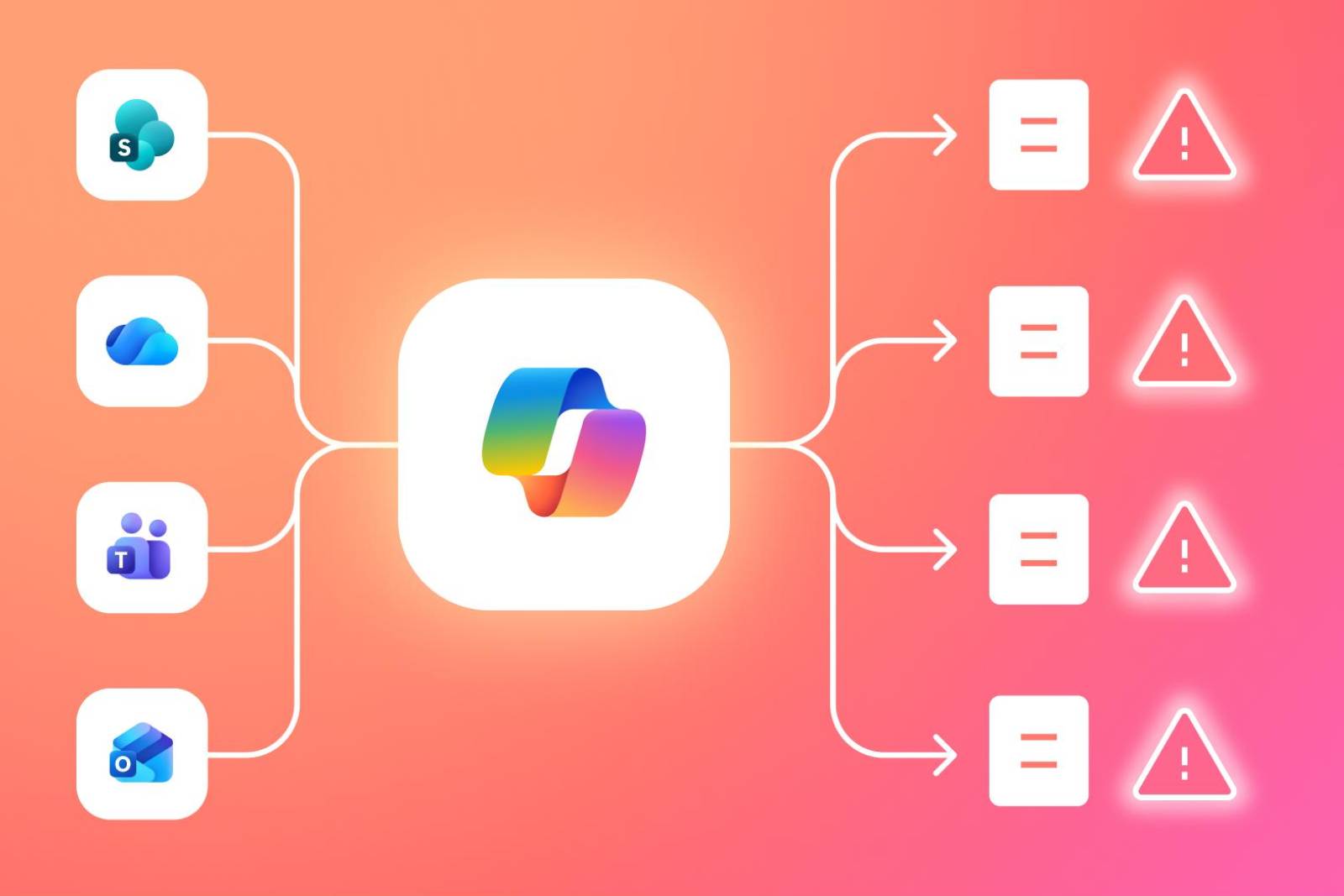

Microsoft Copilot introduces a new way for enterprise employees to retrieve and synthesize information across Microsoft 365, using AI to aggregate content from files, emails, chats, and calendars. But as Copilot gains visibility into those content sources, it also amplifies existing data and permission oversharing, increasing the risk of unintended exposure.
Microsoft Copilot is an AI assistant embedded across Microsoft 365 applications such as Word, Excel, Outlook, Teams, and SharePoint. Unlike traditional tools that operate within a single file or app, Copilot retrieves and synthesizes information across multiple Microsoft 365 services at once, based on a user’s effective permissions.
From a security standpoint, this matters because Copilot does not introduce new access controls or data stores. It operates entirely on top of existing Microsoft 365 permissions, inheriting whatever files, emails, chats, and shared workspaces a user (or an AI agent acting on their behalf) is already allowed to access. As a result, Copilot’s outputs are only as well-governed as the environment beneath it.
In many enterprises, Microsoft 365 environments contain years of over-permissive sharing, inherited access, and unreviewed collaboration data. When Copilot is enabled, those latent issues are surfaced and recombined through AI-driven interactions.
The most critical Copilot risks often surface during deployment. Rollout decisions determine which existing permission gaps and legacy data exposures become serious vulnerabilities when AI is introduced.
Insider and privileged user risks arise not from new access, but from how Copilot accelerates the use of existing entitlements. AI-driven retrieval and summarization can turn routine actions into wider data exposure.
Copilot can make privileged access more potent by leveraging broad entitlements to generate fast answers and summaries. Executives, IT admins, and finance or HR leads often hold wide-reaching access across SharePoint sites, Teams, and mailboxes. If their permissions are broader than necessary, Copilot can unintentionally operationalize that overreach by making sensitive cross-domain information easy to pull into day-to-day work, even without a deliberate decision to open each underlying source.
Even when a user’s access is legitimate, prompts can create lateral reach across repositories. A single request like “summarize everything related to Vendor X” can pull context from multiple workspaces, threads, and files the user already has access to, then repackage it into a single response. That consolidation increases the chance that sensitive details from different domains are combined and shared onward in ways the original data owners never anticipated.
Most insider-driven Copilot exposure is accidental. Users paste AI-generated outputs into Teams messages, emails, tickets, or documents for convenience. If a Copilot response includes sensitive excerpts (e.g., because the user had access, even unintentionally), those details can be redistributed to broader audiences. This creates a faster, harder-to-detect mechanism for sensitive data to spread beyond its intended audience.
Copilot security risks compound quickly once AI-driven access becomes part of daily operations. Early intervention gives enterprises a chance to align AI access with security, compliance, and data ownership best practices before risk becomes systemic.
Copilot security risk is driven by specific Microsoft 365 exposure paths. These paths determine where overshared data becomes AI-accessible.
Traditional Microsoft 365 security controls were designed to govern human-driven access and file-level actions. However, Copilot introduces AI-driven retrieval and recombination patterns that operate beyond the assumptions those controls were built on.
Microsoft 365 permissions determine what a user can access, but not how that access is exercised through AI. Copilot can aggregate content across multiple locations a user is entitled to, without the user explicitly opening each source. This shifts exposure from deliberate access to discovery, which native permission models were not designed to constrain.
Existing controls focus on static states (e.g., file location, sensitivity labels, or login context) rather than dynamic AI behavior. While they can restrict access to individual files or enforce policies at rest, they offer limited insight into how Copilot summarizes, recombines, or redistributes data across responses. As a result, sensitive information can be surfaced through AI even when traditional controls appear correctly configured.
Microsoft 365 security telemetry typically captures file access events, but not AI-driven intent or data synthesis. Security teams may see that a user had access, but not why specific content was retrieved, combined, or shared through Copilot. This lack of contextual visibility makes it difficult to distinguish expected use from emerging exposure risk before it escalates.
As Copilot becomes embedded in daily work, security teams face new challenges in understanding and governing how AI accesses and redistributes enterprise data.
Copilot risk reduction entails focusing on the data and permission structures AI relies on, not just user behavior. The controls below help enterprises contain exposure while enabling safe Copilot adoption.
Opsin helps enterprises govern Copilot by focusing on the data, permissions, and access paths AI relies on. Rather than blocking Copilot, it provides the visibility, control, and prioritization needed to reduce exposure safely.
Microsoft Copilot does not introduce new data exposure on its own. It accelerates and amplifies the risks already embedded in Microsoft 365 permissions, sharing, and data hygiene. Enterprises that address these foundations early can enable safe Copilot adoption, while those that don’t risk turning latent oversharing into large-scale, hard-to-contain exposure.

Because Copilot surfaces and recombines overshared data instantly, turning passive exposure into active redistribution risk.
• Review legacy SharePoint and Teams permissions before enabling Copilot.
• Prioritize cleanup of old collaboration spaces with sensitive data.
• Don’t rely on “security by obscurity” once AI-driven discovery exists.
Explore common Microsoft Teams oversharing patterns that become high-risk with Copilot.
Native controls govern access, not AI-driven synthesis, leaving gaps when data is aggregated across sources.
• DLP and labels protect files, but not AI-generated summaries.
• Conditional access doesn’t account for prompt-driven lateral data reach.
• Audit logs lack intent and synthesis context for Copilot responses.
Learn more about AI security blind spots in enterprise environments.
It compresses time and effort, allowing insiders to surface and redistribute sensitive data far faster than traditional workflows.
• Update insider risk models to include AI-generated outputs.
• Monitor high-privilege users whose prompts span many repositories.
• Treat AI summaries as new data objects with downstream sharing risk.
Opsin simulates Copilot-style queries to reveal AI-accessible data paths across Microsoft 365.
• Identify which sensitive files Copilot can surface today.
• Map inherited and indirect permission paths powering AI access.
• Establish a concrete Copilot exposure baseline before rollout.
This approach is part of Opsin’s AI Readiness Assessment for Copilot and other enterprise AI tools.
Opsin prioritizes remediation by business impact, so teams fix the riskiest oversharing first instead of locking everything down.
• Continuously monitor permission drift that expands AI exposure.
• Focus remediation on high-sensitivity, high-reach data paths.
• Enable Copilot safely rather than delaying adoption indefinitely.
Explore how to secure Microsoft Copilot without blocking productivity.
Microsoft Copilot introduces a new way for enterprise employees to retrieve and synthesize information across Microsoft 365, using AI to aggregate content from files, emails, chats, and calendars. But as Copilot gains visibility into those content sources, it also amplifies existing data and permission oversharing, increasing the risk of unintended exposure.
Microsoft Copilot is an AI assistant embedded across Microsoft 365 applications such as Word, Excel, Outlook, Teams, and SharePoint. Unlike traditional tools that operate within a single file or app, Copilot retrieves and synthesizes information across multiple Microsoft 365 services at once, based on a user’s effective permissions.
From a security standpoint, this matters because Copilot does not introduce new access controls or data stores. It operates entirely on top of existing Microsoft 365 permissions, inheriting whatever files, emails, chats, and shared workspaces a user (or an AI agent acting on their behalf) is already allowed to access. As a result, Copilot’s outputs are only as well-governed as the environment beneath it.
In many enterprises, Microsoft 365 environments contain years of over-permissive sharing, inherited access, and unreviewed collaboration data. When Copilot is enabled, those latent issues are surfaced and recombined through AI-driven interactions.
The most critical Copilot risks often surface during deployment. Rollout decisions determine which existing permission gaps and legacy data exposures become serious vulnerabilities when AI is introduced.
Insider and privileged user risks arise not from new access, but from how Copilot accelerates the use of existing entitlements. AI-driven retrieval and summarization can turn routine actions into wider data exposure.
Copilot can make privileged access more potent by leveraging broad entitlements to generate fast answers and summaries. Executives, IT admins, and finance or HR leads often hold wide-reaching access across SharePoint sites, Teams, and mailboxes. If their permissions are broader than necessary, Copilot can unintentionally operationalize that overreach by making sensitive cross-domain information easy to pull into day-to-day work, even without a deliberate decision to open each underlying source.
Even when a user’s access is legitimate, prompts can create lateral reach across repositories. A single request like “summarize everything related to Vendor X” can pull context from multiple workspaces, threads, and files the user already has access to, then repackage it into a single response. That consolidation increases the chance that sensitive details from different domains are combined and shared onward in ways the original data owners never anticipated.
Most insider-driven Copilot exposure is accidental. Users paste AI-generated outputs into Teams messages, emails, tickets, or documents for convenience. If a Copilot response includes sensitive excerpts (e.g., because the user had access, even unintentionally), those details can be redistributed to broader audiences. This creates a faster, harder-to-detect mechanism for sensitive data to spread beyond its intended audience.
Copilot security risks compound quickly once AI-driven access becomes part of daily operations. Early intervention gives enterprises a chance to align AI access with security, compliance, and data ownership best practices before risk becomes systemic.
Copilot security risk is driven by specific Microsoft 365 exposure paths. These paths determine where overshared data becomes AI-accessible.
Traditional Microsoft 365 security controls were designed to govern human-driven access and file-level actions. However, Copilot introduces AI-driven retrieval and recombination patterns that operate beyond the assumptions those controls were built on.
Microsoft 365 permissions determine what a user can access, but not how that access is exercised through AI. Copilot can aggregate content across multiple locations a user is entitled to, without the user explicitly opening each source. This shifts exposure from deliberate access to discovery, which native permission models were not designed to constrain.
Existing controls focus on static states (e.g., file location, sensitivity labels, or login context) rather than dynamic AI behavior. While they can restrict access to individual files or enforce policies at rest, they offer limited insight into how Copilot summarizes, recombines, or redistributes data across responses. As a result, sensitive information can be surfaced through AI even when traditional controls appear correctly configured.
Microsoft 365 security telemetry typically captures file access events, but not AI-driven intent or data synthesis. Security teams may see that a user had access, but not why specific content was retrieved, combined, or shared through Copilot. This lack of contextual visibility makes it difficult to distinguish expected use from emerging exposure risk before it escalates.
As Copilot becomes embedded in daily work, security teams face new challenges in understanding and governing how AI accesses and redistributes enterprise data.
Copilot risk reduction entails focusing on the data and permission structures AI relies on, not just user behavior. The controls below help enterprises contain exposure while enabling safe Copilot adoption.
Opsin helps enterprises govern Copilot by focusing on the data, permissions, and access paths AI relies on. Rather than blocking Copilot, it provides the visibility, control, and prioritization needed to reduce exposure safely.
Microsoft Copilot does not introduce new data exposure on its own. It accelerates and amplifies the risks already embedded in Microsoft 365 permissions, sharing, and data hygiene. Enterprises that address these foundations early can enable safe Copilot adoption, while those that don’t risk turning latent oversharing into large-scale, hard-to-contain exposure.


